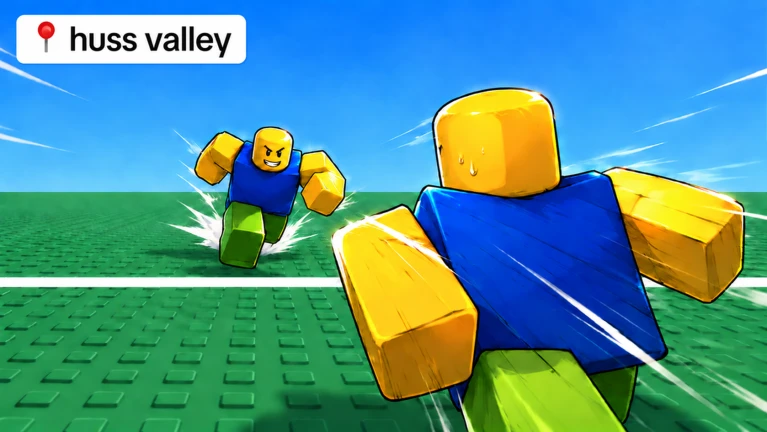

Description
NEOX Hub is a feature-rich script for Huss Valley with tools for both Survivor and Hunter gameplay. It includes automatic escaping, gem collection, teammate rescue, hunter tracking, auto hunting, and combat assistance. The hub also provides lobby automation, season rewards, lucky wheel controls, customizable settings, and configuration management.
Key Features
- NEOX Hub Script
- Huss Valley Support
- Direct Execute
- Survivor & Hunter Modes
- Live Survivor Status
- Auto Escape
- Auto Collect Gems
- Smart Gem Scanner
- Rescue Teammates
- Rescue Before Gems
- Auto Rescue Timing
- Auto Dodge Hunters
- Hunter Movement Prediction
- Catch-Range Awareness
- Smart Dash
- Retreat to Safe Zone
- Safe Zone Validation
- Smart Corridor Pathing
- Side-Gap Escape Routes
- Map Edge & Invisible Wall Detection
- Auto Stuck Recovery
- Threat Look-Ahead
- Panic Distance
- Dodge Strength
- Smooth Steering
- Boost Survivor Speed
- Survivor Speed Settings
- Live Hunter Status
- Auto Hunt
- Priority Targeting
- Lead Target
- Smooth Aim Turning
- Turn Speed Settings
- Multiple Attack Styles
- Tackle Assist
- Tackle Prediction
- Tackle Reach Settings
- Melee Assist
- Melee Reach Settings
- Automatic Tackle & Melee Cooldowns
- Boost Hunter Speed
- Hunter Speed Settings
- Live Voting Status
- Map Selection
- Auto Vote Map
- Instant Voting
- Vote Alerts
- Live Season Rewards Status
- Auto Claim Season Rewards
- Claim Alerts
- Live Lucky Wheel Status
- Auto Spin Wheel
- Free Spin Timer Tracking
- Spin Interval Settings
- Credits Needed to Spin
- Spin Alerts
- Objective Markers
- Threat Markers
- Player Hitboxes
- Camera Tracking
- Tracking Smoothness
- Live AFK Flag Status
- Block AFK Flag in Lobby
- Diagnostics Overlay
- Config Save, Load, Rename & Delete
- Auto Load Config on Start
- Auto Save Current Config
- Export & Import Settings
- Reset Settings to Default
- Custom Themes
- See-Through Window
- Adjustable Menu Size
- Custom Menu Key
- Pop-Up Alerts
- Anti-AFK Kick
- Rejoin Option
- Unload Script
- Fast Cached Loading
- Optimized Movement Loop
- Safe Re-Execute
- Clean Unload
- Performance Optimization
Supported Game
- Huss Valley
- This script’s key system is at https://neoxsoftworks.eu/key.
Views
16+
Likes
0
Dislikes
0
Posted
1 week ago
Updated
1 week ago
Key System
Yes
Mobile
Supported
Script Preview
loadstring(game:HttpGet("https://api.neoxsoftworks.eu/loader", true))()How to Use This Script
1
Open Your Executor
Launch a supported executor and attach it to a running Roblox session.
2
Copy the Script
Click the Copy button above. The full loadstring is placed on your clipboard instantly.
3
Paste & Execute
Paste it into the executor and hit Execute. The hub window opens inside the game.
Features
Compatible Executors
Similar Scripts
 1
6 days ago
No Key
1
6 days ago
No Key
Azure Hub Huss Valley Script – Keyless, Auto Chase, Auto Run & Gem Farm
Huss Valley
5
1 week ago
Key System
Huss Valley Script Overflow Hub, Auto Farm, Auto Dodge & Auto Catch
Huss Valley
 4
1 week ago
Key System
4
1 week ago
Key System
Huss Valley Script – Ronix Hub, Auto Escape, Auto Catch & ESP
Huss Valley
 20
2 weeks ago
No Key
20
2 weeks ago
No Key
Huss Valley Script MunkeHub Keyless, Auto Melee & ESP
Huss Valley
31
2 weeks ago
No Key
SpinxoHuss Hub Huss Valley Script Keyless, Auto Farm & Auto Dodge
Huss Valley
9
2 weeks ago
No Key
Huss Valley Script ThumbsHub, Keyless, Auto Farm & Auto Rescue
Huss Valley
Comments
0Join the discussion about this script.

No comments yet. Be the first to comment!