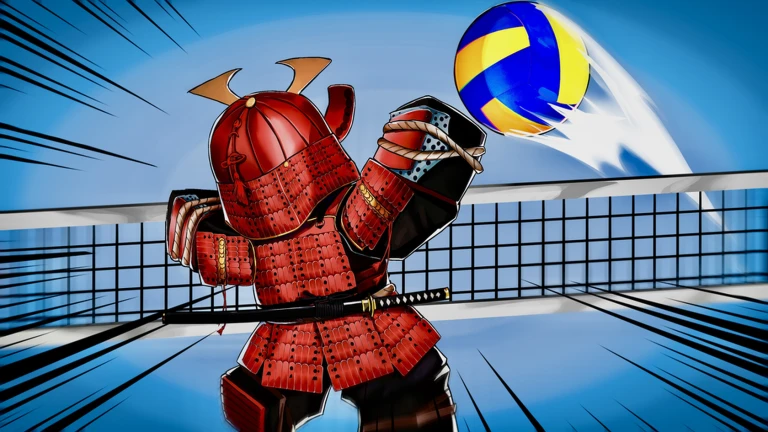

Description
Overflow is a Roblox script for Volleyball Legends that offers a wide range of gameplay automation, aiming controls, defensive actions, visual tools, and movement options. It includes Auto Hit, Auto Serve, Auto Block, Auto Dive, Auto Save, and No Cooldown, along with hitbox customization, ball prediction, player ESP, and performance settings.
Key Features
Volleyball Automation
- Auto Hit: Automates hitting the ball.
- Hit Type: Configure the type of hit.
- Hit Range: Adjust the range for hitting.
- Aim at Net: Includes a net-aiming option.
- Hit Back: Provides an option to hit the ball back.
- Auto Block: Automates blocking.
- Auto Steal: Includes an automatic steal feature.
- Auto Dive: Automates diving.
- Auto Save: Helps automate saves.
- Chase Ball: Automatically chases the ball.
- Auto Serve: Automates serving.
- Auto Ability: Automates ability use.
- Auto Join Team: Automatically joins a team.
- Team Selection: Choose a team.
- Live Status: Displays live script status.
Advanced Hitting & Serve Controls
- Powerful Serve / Max Serve: Includes a powerful serving option.
- Directional Hit: Controls hit direction.
- Always Spike: Includes an option to always spike.
- Delayed Hit: Adds a delay before hitting.
- Hit Delay: Adjusts hit timing.
- No Cooldown: Provides a no-cooldown option.
- Powerful TSH: Includes a powerful TSH setting.
- Minimum TSH Charge: Sets a minimum charge requirement.
- Minimum Charge Percentage: Adjusts the minimum charge percentage.
Hitbox Customization
- Hitbox Expander: Expands the hitbox.
- Hitbox Size: Adjusts hitbox dimensions.
- Hitbox Visualizer: Displays the hitbox visually.
- Hitbox Color: Customizes the hitbox color.
- Hit Range Visualizer: Displays the current hit range.
Style & Ability Spins
- Auto Style Spin: Automates style spins.
- Use Lucky Style Spins: Includes an option to use lucky style spins.
- Roll Until Selected Style: Continues rolling until a selected style is obtained.
- Stop on Style Rarity: Stops based on a chosen style rarity.
- Auto Ability Spin: Automates ability spins.
- Use Lucky Ability Spins: Includes an option to use lucky ability spins.
- Roll Until Selected Ability: Continues rolling until the selected ability is obtained.
- Stop on Ability Rarity: Stops based on a chosen ability rarity.
ESP & Ball Prediction
- Ball ESP: Helps locate the ball.
- Ball Predictor / Trajectory: Displays predicted ball movement.
- Landing Marker: Marks the predicted landing location.
- Beam Lines: Adds visual beam lines.
- Player ESP: Displays player information.
- Player Selection: Select players for supported features.
- Enemy Tracers: Draws tracer lines toward opponents.
Movement & Camera Controls
- Air Movement: Enables movement while airborne.
- Air Move Speed: Adjusts air movement speed.
- Fly: Enables flight.
- Fly Speed: Adjusts flight speed.
- Auto Shiftlock: Automatically enables shiftlock.
- Inverted Tilt: Includes an inverted tilt option.
- Camera Zoom: Provides camera zoom controls.
- Min Zoom / Max Zoom: Sets minimum and maximum zoom.
- Field of View (FOV): Enables and adjusts FOV settings.
- Noclip: Allows movement through certain objects.
- Infinite Jump: Enables repeated jumping.
- Fly Controls: Provides flight control settings.
Player & Physics Settings
- Instant Prompt / Interact: Speeds up supported prompt interactions.
- Enable Gravity: Toggles gravity settings.
- Gravity: Adjusts gravity.
- Enable Speed: Toggles the speed setting.
- Speed: Adjusts movement speed.
- Enable Jump Power: Toggles jump power settings.
- Jump Power: Adjusts jump strength.
- Enable Hip Height: Toggles hip height settings.
- Hip Height: Adjusts character hip height.
Performance & Session Management
- Anti-AFK: Helps prevent inactivity.
- Disable 3D Rendering: Disables 3D rendering.
- FPS Limit: Enables and adjusts an FPS limit.
- Uncap FPS: Removes the FPS cap.
- Auto Reconnect / Rejoin on Kick: Attempts to reconnect after a kick.
- Rejoin: Rejoins the current game.
- Server Hop: Moves to another server.
- Join Small Server: Finds a smaller server.
- Unload: Unloads the script.
- Session Timer: Tracks session duration.
- Minimize Keybind: Provides a keyboard shortcut for minimizing the interface.
- Total Executions: Displays the execution count.
- Key Expiration Date: Displays key expiration information.
- Copy Discord Invite: Copies the Discord invitation.
Script Information
- Script Name: Overflow
- Supported Game: Volleyball Legends
- Execution: Direct Execute, as marked on the listing
- Key System: The listing mentions a key link; authentication requirements may apply.
- This script’s key system is at https://overflow.cx/key/.
Views
3+
Likes
0
Dislikes
0
Posted
6 days ago
Updated
6 days ago
Key System
Yes
Mobile
Supported
Script Preview
loadstring(game:HttpGet("https://overflow.cx/loader.lua"))()How to Use This Script
1
Open Your Executor
Launch a supported executor and attach it to a running Roblox session.
2
Copy the Script
Click the Copy button above. The full loadstring is placed on your clipboard instantly.
3
Paste & Execute
Paste it into the executor and hit Execute. The hub window opens inside the game.
Features
Compatible Executors
Similar Scripts
 20
1 month ago
No Key
20
1 month ago
No Key
Universal XenoHub by sskint Script – Keyless, 100+ Games, Aimbot, Auto Farm
Universal
 13
2 weeks ago
Key System
13
2 weeks ago
Key System
Huss Valley Script Sottoro Hub Auto Tackle, Auto Dash & Player ESP
Huss Valley
 313
3 weeks ago
Key System
313
3 weeks ago
Key System
Mine Antarctica Barrage Hub Script – Key System, Auto Mine, Crystal ESP, Auto Collect
Mine Antarctica
 0
6 days ago
Key System
0
6 days ago
Key System
Shrink For Eggs CM Hub Script – Key System, Auto Harvest Eggs, Equip Best Animals
Shrink For Eggs
 10
3 weeks ago
No Key
10
3 weeks ago
No Key
The World JoJo Stand Script – Diego Brando Stand
Universal
4
1 week ago
Key System
Huss Valley Script – Ronix Hub, Auto Escape, Auto Catch & ESP
Huss Valley
Comments
0Join the discussion about this script.

No comments yet. Be the first to comment!