 9
No Key
9
No Key
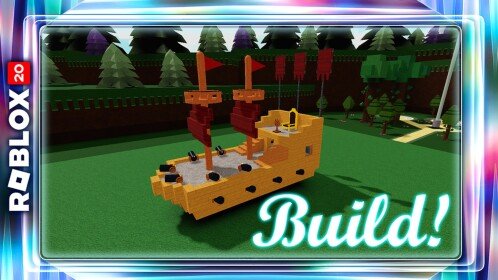
Build A Boat For Treasure Script – Keyless, Auto Farm, Auto Complete Levels, Auto Collect

Description
This keyless Build A Boat For Treasure script provides a simple Auto Farm feature for automated progression.
The Auto Farm is designed to complete game levels and collection activities automatically.
The script is open source and supports multiple listed Roblox executors.
Key Features
- Build A Boat For Treasure Script
- Keyless Script
- No Key Required
- Open Source Script
- Auto Farm
- Auto Complete Levels
- Auto Complete Collections
- Level Farming Automation
- Collection Automation
- Stage Progression
- Automated Gameplay
- Xeno Supported
- Volt Supported
- Potassium Supported
- Wave Supported
- Delta Supported
- Solara Supported
- Opiumware Supported
- Codex Supported
- MacSploit Supported
- Vega X Supported
- Velocity Supported
Views
9+
Likes
0
Dislikes
0
Posted
4 weeks ago
Updated
4 weeks ago
Key System
No
Mobile
Supported
Script Preview
local RunService = game:GetService("RunService")
local Players = game:GetService("Players")
local VirtualInputManager = game:GetService("VirtualInputManager")
local TweenService = game:GetService("TweenService")

local player = Players.LocalPlayer
local gravityNormal = workspace.Gravity
local isRunning = false

local stages = {
    [1] = CFrame.new(-14.241774, 26.622606, 1364.338379, -0.020297, -0.506155, 0.862204, -0.000000, 0.862381, 0.506259, -0.999794, 0.010275, -0.017503),
    [2] = CFrame.new(3.665485, 31.618034, 2133.135986, -0.015757, -0.509191, 0.860509, -0.000000, 0.860616, 0.509255, -0.999776, 0.008025, -0.013561),
    [3] = CFrame.new(8.441872, 52.658176, 2902.652832, -0.043082, -0.197386, 0.979379, 0.000000, 0.980289, 0.197569, -0.999072, 0.008512, -0.042233),
    [4] = CFrame.new(-17.868896, 69.207741, 3679.890625, -0.011372, -0.553590, 0.832712, -0.000000, 0.832766, 0.553625, -0.999935, 0.006296, -0.009471),
    [5] = CFrame.new(-11.043743, 36.730087, 4445.333496, -0.020378, -0.602000, 0.798236, -0.000000, 0.798402, 0.602125, -0.999792, 0.012270, -0.016270),
    [6] = CFrame.new(10.835979, 46.826912, 5217.289551, -0.043027, -0.508807, 0.859805, -0.000000, 0.860602, 0.509279, -0.999074, 0.021913, -0.037029),
    [7] = CFrame.new(-40.286644, 39.011356, 5984.904297, -0.052142, -0.676313, 0.734766, -0.000000, 0.735767, 0.677234, -0.998640, 0.035312, -0.038365),
    [8] = CFrame.new(-5.851148, 32.655327, 6763.844727, -0.038430, -0.561899, 0.826313, -0.000000, 0.826924, 0.562314, -0.999261, 0.021610, -0.031779),
    [9] = CFrame.new(7.561937, 59.959263, 7529.362305, -0.042934, -0.487576, 0.872024, 0.000000, 0.872829, 0.488026, -0.999078, 0.020953, -0.037474),
   [10] = CFrame.new(-23.380148, 48.091366, 8305.114258, -0.038225, -0.650570, 0.758483, 0.000000, 0.759038, 0.651046, -0.999269, 0.024887, -0.029015),
   Chest = CFrame.new(-50.753761, -358.068146, 9499.310547, -0.809536, 0.440671, -0.387893, 0.000000, 0.660726, 0.750628, 0.587071, 0.607660, -0.534881)
}

-- Создание UI
local screenGui = Instance.new("ScreenGui", game.CoreGui)
screenGui.Name = "AutoFarmUI"
screenGui.ResetOnSpawn = false

-- Главное меню
local menu = Instance.new("Frame")
menu.Size = UDim2.fromOffset(240, 140)
menu.Position = UDim2.new(0.5, -120, 0.4, -70)
menu.BackgroundColor3 = Color3.fromRGB(25, 25, 25)
menu.BorderSizePixel = 0
menu.Active = true
menu.Draggable = true
menu.Parent = screenGui

local menuCorner = Instance.new("UICorner")
menuCorner.CornerRadius = UDim.new(0, 12)
menuCorner.Parent = menu

-- Заголовок меню
local titleLabel = Instance.new("TextLabel")
titleLabel.Size = UDim2.new(0.65, 0, 0.25, 0)
titleLabel.Position = UDim2.new(0.06, 0, 0.05, 0)
titleLabel.BackgroundTransparency = 1
titleLabel.Text = "HUB | AUTOFARM"
titleLabel.TextColor3 = Color3.fromRGB(220, 220, 220)
titleLabel.Font = Enum.Font.GothamBold
titleLabel.TextSize = 14
titleLabel.TextXAlignment = Enum.TextXAlignment.Left
titleLabel.Parent = menu

-- Кнопка закрытия
local close = Instance.new("TextButton")
close.Size = UDim2.fromOffset(26, 26)
close.Position = UDim2.new(0.94, -26, 0.08, 0)
close.Text = "×"
close.Font = Enum.Font.GothamBold
close.TextSize = 20
close.BackgroundColor3 = Color3.fromRGB(35, 35, 35)
close.TextColor3 = Color3.fromRGB(240, 80, 80)
close.AutoButtonColor = false
close.Parent = menu

local closeCorner = Instance.new("UICorner")
closeCorner.CornerRadius = UDim.new(0, 6)
closeCorner.Parent = close

-- Кнопка переключения (Toggle)
local toggle = Instance.new("TextButton")
toggle.Size = UDim2.new(0.88, 0, 0.5, 0)
toggle.Position = UDim2.new(0.06, 0, 0.4, 0)
toggle.Text = "AutoFarm: OFF"
toggle.Font = Enum.Font.GothamBold
toggle.TextSize = 16
toggle.TextColor3 = Color3.new(1, 1, 1)
toggle.BackgroundColor3 = Color3.fromRGB(40, 40, 40)
toggle.AutoButtonColor = false
toggle.Parent = menu

local toggleCorner = Instance.new("UICorner")
toggleCorner.CornerRadius = UDim.new(0, 8)
toggleCorner.Parent = toggle

local toggleStroke = Instance.new("UIStroke")
toggleStroke.Color = Color3.fromRGB(0, 170, 255)
toggleStroke.Thickness = 1.5
toggleStroke.ApplyStrokeMode = Enum.ApplyStrokeMode.Border
toggleStroke.Parent = toggle

-- Функция плавных анимаций цвета
local function tweenColor(instance, property, targetColor, duration)
    TweenService:Create(instance, TweenInfo.new(duration or 0.2, Enum.EasingStyle.Quad, Enum.EasingDirection.Out), {[property] = targetColor}):Play()
end

-- Интерактивность кнопки Закрыть
close.MouseEnter:Connect(function() tweenColor(close, "BackgroundColor3", Color3.fromRGB(240, 80, 80)) tweenColor(close, "TextColor3", Color3.fromRGB(255, 255, 255)) end)
close.MouseLeave:Connect(function() tweenColor(close, "BackgroundColor3", Color3.fromRGB(35, 35, 35)) tweenColor(close, "TextColor3", Color3.fromRGB(240, 80, 80)) end)

-- Интерактивность кнопки Переключить
toggle.MouseEnter:Connect(function()
    if not isRunning then tweenColor(toggle, "BackgroundColor3", Color3.fromRGB(48, 48, 48)) end
end)
toggle.MouseLeave:Connect(function()
    if not isRunning then tweenColor(toggle, "BackgroundColor3", Color3.fromRGB(40, 40, 40)) end
end)


-- Логика фарма и перемещения
local function tpAndWiggle(targetCFrame)
    local char = player.Character
    local root = char and char:FindFirstChild("HumanoidRootPart")

    if char and root and isRunning then
        root.Anchored = false
        char:PivotTo(targetCFrame)
        task.wait(0.05)
        root.Anchored = true

        local endTime = os.clock() + 2.0
        local direction = 1

        while os.clock() < endTime and isRunning do
            if not root or not root.Parent then break end
            root.CFrame = root.CFrame * CFrame.new(0, 0, 0.5 * direction)
            direction = -direction
            task.wait(0.1)
        end
    end
end

-- Anti-AFK
task.spawn(function()
    while true do
        task.wait(10)
        if isRunning then
            VirtualInputManager:SendKeyEvent(true, Enum.KeyCode.K, false, game)
            VirtualInputManager:SendKeyEvent(false, Enum.KeyCode.K, false, game)
        end
    end
end)

local function autoFarmLoop()
    while isRunning do
        local char = player.Character or player.CharacterAdded:Wait()
        local humanoid = char:WaitForChild("Humanoid", 5)
        local root = char:WaitForChild("HumanoidRootPart", 5)

        if humanoid and root and isRunning then
            workspace.Gravity = 0
            humanoid:ChangeState(Enum.HumanoidStateType.Physics)

            for i = 1, 6 do
                if not isRunning then break end
                tpAndWiggle(stages[i])
            end

            if isRunning then
                tpAndWiggle(stages.Chest)
            end

            if isRunning then
                tpAndWiggle(stages[7])
            end

            for i = 8, 10 do
                if not isRunning then break end
                tpAndWiggle(stages[i])
            end

            if isRunning then
                root.Anchored = false
                workspace.Gravity = gravityNormal
                humanoid.Health = 0

                player.CharacterAdded:Wait()
                task.wait(2.0)
            end
        else
            task.wait(1)
        end
    end
end

-- Логика кнопок UI
close.MouseButton1Click:Connect(function()
    isRunning = false
    workspace.Gravity = gravityNormal
    local char = player.Character
    local root = char and char:FindFirstChild("HumanoidRootPart")
    if root then root.Anchored = false end
    screenGui:Destroy()
end)

toggle.MouseButton1Click:Connect(function()
    isRunning = not isRunning
    local char = player.Character
    local root = char and char:FindFirstChild("HumanoidRootPart")

    if not isRunning then
        toggle.Text = "AutoFarm: OFF"
        tweenColor(toggle, "BackgroundColor3", Color3.fromRGB(40, 40, 40))
        tweenColor(toggleStroke, "Color", Color3.fromRGB(0, 170, 255))
        workspace.Gravity = gravityNormal
        if root then root.Anchored = false end
    else
        toggle.Text = "AutoFarm: ON"
        tweenColor(toggle, "BackgroundColor3", Color3.fromRGB(20, 120, 80))
        tweenColor(toggleStroke, "Color", Color3.fromRGB(46, 204, 113))
        task.spawn(autoFarmLoop)
    end
end)

player.CharacterAdded:Connect(function()
    task.wait(1)
    if isRunning then
        task.spawn(autoFarmLoop)
    end
end)
How to Use This Script
1
Open Your Executor
Launch a supported executor and attach it to a running Roblox session.
2
Copy the Script
Click the Copy button above. The full loadstring is placed on your clipboard instantly.
3
Paste & Execute
Paste it into the executor and hit Execute. The hub window opens inside the game.
Features
Compatible Executors
Similar Scripts
 0
6 days ago
Key System
0
6 days ago
Key System
Make Dresses Script – Barrage Hub, Auto Orders, Auto Competition
Make Dresses
 50
3 weeks ago
Key System
50
3 weeks ago
Key System
Oil Tycoon Barrage Hub Script – Key System, Auto Oil, Auto Build, Auto Unlocks
Oil Tycoon
 2
1 month ago
No Key
2
1 month ago
No Key
Steal An Egg Clover Hub Script – Keyless, Auto Steal, Prevent Traps, Auto Place
Steal An Egg
 6
4 weeks ago
No Key
6
4 weeks ago
No Key
Steal A Seed For Bees Ouroboros Hub Script – Keyless, Auto Steal Seed, Auto Plant Seed, Auto Collect Honey Ou
Steal A Seed For Bees
 0
14 hours ago
Key System
0
14 hours ago
Key System
DOORS Script – Auto Win & ESP
Doors
 88
2 weeks ago
Key System
88
2 weeks ago
Key System
JJS Ultra Instinct Script Auto Dodge, Auto Block & M1
Jujutsu Shenanigans
Comments
0Join the discussion about this script.

No comments yet. Be the first to comment!