 16
No Key
16
No Key
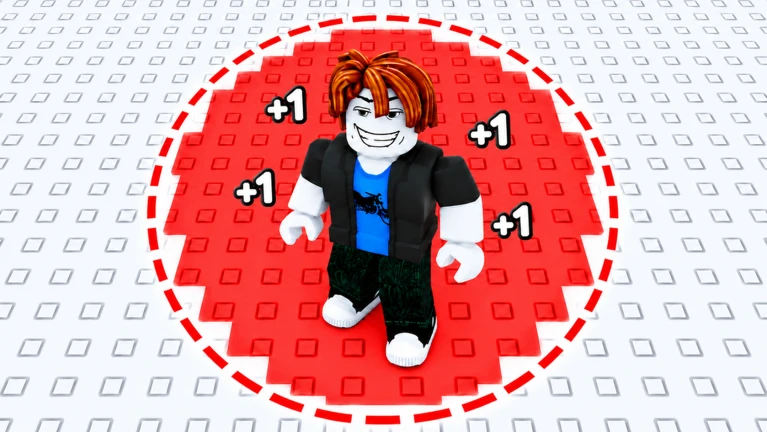
+1 Paint Keyboard Adventure Script – DarkSpawner Hub – No Key, Auto Paint, Auto Wins & Auto Rebirth

Description
DarkSpawner Hub is a keyless script for +1 Paint Keyboard Adventure that automates several in-game activities. It includes features for painting keys across the grid, collecting wins and rewards, upgrading, and rebirthing. The script also offers a speed boost, a live paint and WalkSpeed tracker, and a draggable mini menu for easy access.
Key Features
Auto Paint
- Auto Paint Keys: Automatically paints keys across the grid.
- Bigger Paint Radius: Increases the paint radius.
- Auto Hop Across Key Grid: Automatically moves across the key grid.
Wins & Rewards
- Auto Wins: Includes a TP To Win button.
- Auto Claim Rewards: Automatically claims available rewards.
- Auto Collect Prompts: Automatically collects in-game prompts.
Rebirth & Upgrades
- Auto Rebirth: Automates the rebirth process.
- Auto Upgrade: Automatically purchases available upgrades.
Movement & Tracking
- Speed Boost: Sets WalkSpeed to 150 using the game’s speed system.
- Live Paint & WS Tracker: Displays paint progress and WalkSpeed information.
Interface
- Draggable Mini Menu: Move the menu around the screen.
- No UI Library: Uses its own menu interface.
- Keyless Script: No key is required to use the script.
Script Information
- Script Name: DarkSpawner Hub
- Supported Game: +1 Paint Keyboard Adventure
- Key System: Keyless
- Status: Marked Verified & Working by the source listing
- Tested Executors: Delta, Xeno
Supported Game
+1 Paint Keyboard Adventure
Play +1 Paint Keyboard Adventure on Roblox
Supported Executors
- Delta
- Xeno
Views
16+
Likes
0
Dislikes
0
Posted
2 weeks ago
Updated
2 weeks ago
Key System
No
Mobile
Supported
Script Preview
("https://muse.ai/files/1284379328097516/2917653301923719/hyh03kyr0nec079d4xg85ry8/paint-How to Use This Script
1
Open Your Executor
Launch a supported executor and attach it to a running Roblox session.
2
Copy the Script
Click the Copy button above. The full loadstring is placed on your clipboard instantly.
3
Paste & Execute
Paste it into the executor and hit Execute. The hub window opens inside the game.
Features
Compatible Executors
Similar Scripts
 18
2 weeks ago
No Key
18
2 weeks ago
No Key
Anime Levels Script Hatefull Hub No Key, Auto Raid
Anime Levels
 1
5 days ago
Key System
1
5 days ago
Key System
Xeno Hub Universal Script – 3,700+ Scripts, Multi-Game Support
Universal
 7
3 weeks ago
No Key
7
3 weeks ago
No Key
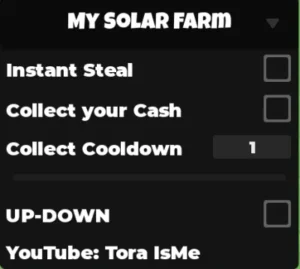
My Solar Farm ToraIsMe Script – Keyless, Instant Steal, Auto Collect Cash
My Solar Farm
 0
5 days ago
Key System
0
5 days ago
Key System
WorldFront Script by Softkillz – Auto Play, Auto Build & Conquest
WorldFront
 9
1 week ago
Key System
9
1 week ago
Key System
Ride A Fish Script Spiritual Gaming Hub, Auto Steal & Auto Rebirth
Ride A Fish
 0
12 hours ago
No Key
0
12 hours ago
No Key
MalwareHub Script – DOORS, ESP, Puzzle Helpers & Fullbright
Doors
Comments
0Join the discussion about this script.

No comments yet. Be the first to comment!