
Description
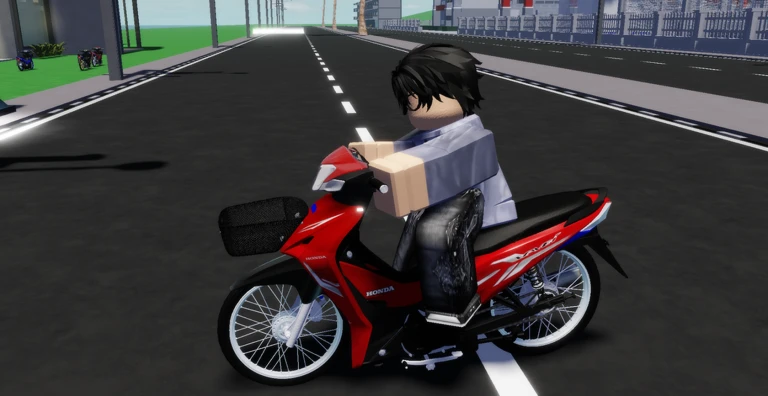
The Barrage Hub Script for Ban Thai Racing offers a range of automation and vehicle-control features for the Roblox game. It includes tools for auto racing, fishing, vehicle customization, jobs, travel, rewards, and garage management.
You can also find options for changing vehicle speed, adjusting movement, managing props, and customizing your avatar. According to the source listing, the script requires a key and is reported as working. Delta and Xeno are listed as tested executors.
Key Features
Racing & Vehicle Controls
- No Speed Limit – Includes speed cap and acceleration boost settings.
- Auto Race – Automates races on different tracks, including straight tracks and the gas station, with teleport race movement.
- Auto Customize – Changes paint, body color, and rim color.
- Vehicle Controls – Includes automatic lights, signals, and radio controls.
- Speed Hack – Provides additional speed-control options.
- Travel Speed Slider – Adjusts travel speed.
Fishing & Travel
- Auto Fish – Automates catching and selling fish, with protected fish options.
- Instant Catch – Provides an instant fishing catch option.
- Auto Travel – Supports travel to fishing destinations.
- Movement Mode – Offers Teleport and Tween movement options.
Jobs & Props
- Auto Jobs – Automates carrier and rescue jobs.
- Auto Props – Includes a follow-me layout and prop-count settings.
Rewards & Garage
- Auto Rewards – Supports timed rewards and code-related options.
- Auto Garage – Includes vehicle purchasing and money-reserve settings.
Avatar Features
- Auto Helmet – Automates helmet-related options.
- Auto Emote – Automates emote actions.
Script Information
- Script Name: Barrage Hub
- Supported Game: Ban Thai Racing
- Key System: Required
- Status: Reported working by the source
- Tested Executors: Delta and Xeno
- Script Loader:
https://barrage.cc/loader
Supported Game
Play Ban Thai Racing on Roblox and explore the Barrage Hub script features.
Script Preview
loadstring(game:HttpGet("https://barrage.cc/loader"))()How to Use This Script
Open Your Executor
Launch a supported executor and attach it to a running Roblox session.
Copy the Script
Click the Copy button above. The full loadstring is placed on your clipboard instantly.
Paste & Execute
Paste it into the executor and hit Execute. The hub window opens inside the game.
Features
Compatible Executors
Similar Scripts
 14
3 weeks ago
Key System
14
3 weeks ago
Key System
 23
3 weeks ago
No Key
23
3 weeks ago
No Key
 9
1 month ago
No Key
9
1 month ago
No Key
 0
8 hours ago
Key System
0
8 hours ago
Key System
 15
4 weeks ago
No Key
15
4 weeks ago
No Key
 3
2 days ago
No Key
3
2 days ago
No Key
Comments
0
No comments yet. Be the first to comment!