

Description
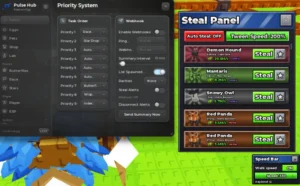
The JEN Anti Hit Script for Roblox is developed by Jen for Steal an Egg. Its main feature is Anti Hit, which is designed to help players pick up eggs more easily. The script also includes automation options for stealing eggs, returning to your base, placing and hatching eggs, and equipping your best pet.
This script is keyless, so it does not require a key system according to the source listing.
Key Features
Anti Hit & Egg Stealing
- Anti Hit – Helps protect the egg-picking process from hits.
- Auto Steal Egg – Automatically steals eggs.
Base & Egg Management
- Auto Go Back to Base – Automatically returns to your base.
- Auto Place Eggs – Automatically places eggs.
- Auto Hatch Eggs – Automatically hatches eggs.
Pets & Equipment
- Auto Equip Best Pet – Automatically equips your best available pet.
Script Information
- Script Name: JEN Anti Hit
- Supported Game: Steal an Egg
- Key System: Keyless
- Developer: Jen
- Posted By: charlestiglao2940
- Script Status: Not independently verified
- Script Source: XenoScripts
Supported Game
Steal an Egg
Supported Executors
The source listing names these executors:
- Xeno
- Volt
- Potassium
- Wave
- Delta
- Solara
- Opiumware
- Codex
- MacSploit
- Vega X
- Velocity
Script Loader
The script loader or execution code was not included in the provided listing. Visit the original XenoScripts page to check for the available script code and updates.

Script Preview
loadstring(game:HttpGet("https://raw.githubusercontent.com/mallu837/anti-hit/refs/heads/main/steal%20an%20egg/lua"))()How to Use This Script
Open Your Executor
Launch a supported executor and attach it to a running Roblox session.
Copy the Script
Click the Copy button above. The full loadstring is placed on your clipboard instantly.
Paste & Execute
Paste it into the executor and hit Execute. The hub window opens inside the game.
Features
Compatible Executors
Similar Scripts
 4
2 days ago
No Key
4
2 days ago
No Key
 5
2 days ago
No Key
5
2 days ago
No Key
 17
6 days ago
No Key
17
6 days ago
No Key
 10
1 week ago
No Key
13
1 week ago
No Key
388
1 week ago
No Key
10
1 week ago
No Key
13
1 week ago
No Key
388
1 week ago
No Key
Comments
0
No comments yet. Be the first to comment!