Jump for Animals Shrpz v1 Script – Keyless, Auto Farm, Flight System, Auto Follow 47 No Key

Jump for Animals Shrpz v1 Script – Keyless, Auto Farm, Flight System, Auto Follow

Jump for Animals • 4 weeks ago • 47 views
Play Game

Description

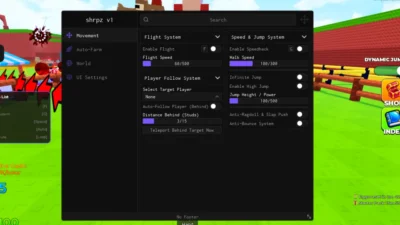
Shrpz v1 is a keyless Jump for Animals script focused on movement, automated farming and flight controls.
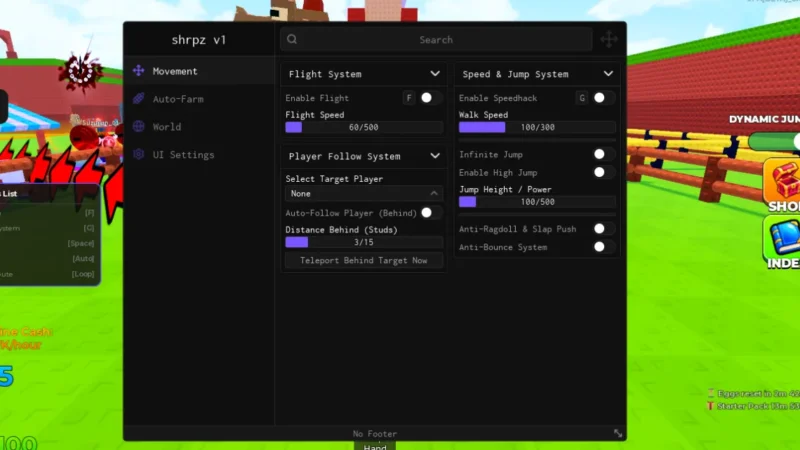
It includes Auto-Farm, Flight Speed, Player Follow, Infinite Jump and customizable Walk Speed and Jump Height settings.
The script also provides biome farming, egg placement, ESP filters, anti-ragdoll tools and personal base controls.

Key Features

  • Jump for Animals Script
  • Shrpz v1
  • Keyless Script
  • No Key Required
  • Movement
  • Auto-Farm
  • World
  • Flight System
  • Flight Speed
  • Player Follow System
  • Select Target Player
  • Auto-Follow Player
  • Distance Behind
  • Speed & Jump System
  • Walk Speed
  • Infinite Jump
  • Jump Height
  • Anti-Ragdoll & Slap Push
  • Anti-Bounce System
  • Ordered Biome Farm
  • Select Biome
  • All Biomes
  • Extra Safety Delay
  • Auto-Place Eggs
  • Place Rarity Filter
  • Max Plot Eggs Limit
  • Interactive Egg ESP
  • ESP Biome Filter
  • ESP Rarity Filter
  • Jump Training Auto-Farm
  • Personal Base Control
  • Movement Controls
  • Flight Controls
  • Player Follow Automation
  • Biome Farming
  • Egg Placement Automation
  • Egg ESP
  • Rarity Filtering
  • Biome Filtering
  • Jump Training Automation
  • Base Controls
  • Xeno Supported
  • Volt Supported
  • Potassium Supported
  • Wave Supported
  • Delta Supported
  • Solara Supported
  • OpiumWare Supported
  • Codex Supported
  • MacSploit Supported
  • Vega X Supported
  • Velocity Supported
Jump for Animals
Game Page
Jump for Animals
Roblox
Views 47+
Likes 1
Dislikes 0
Posted 4 weeks ago
Updated 4 weeks ago
Key System No
Mobile Supported

Script Preview

1 lines • 113 B
loadstring(game:HttpGet("https://gist.githubusercontent.com/shrpz-pixel/fa36cb49775f87d06fa1b5133eb9a6ca/raw"))()

How to Use This Script

1

Open Your Executor

Launch a supported executor and attach it to a running Roblox session.

2

Copy the Script

Click the Copy button above. The full loadstring is placed on your clipboard instantly.

3

Paste & Execute

Paste it into the executor and hit Execute. The hub window opens inside the game.

Features

Comments

0
Join the discussion about this script.

No comments yet. Be the first to comment!