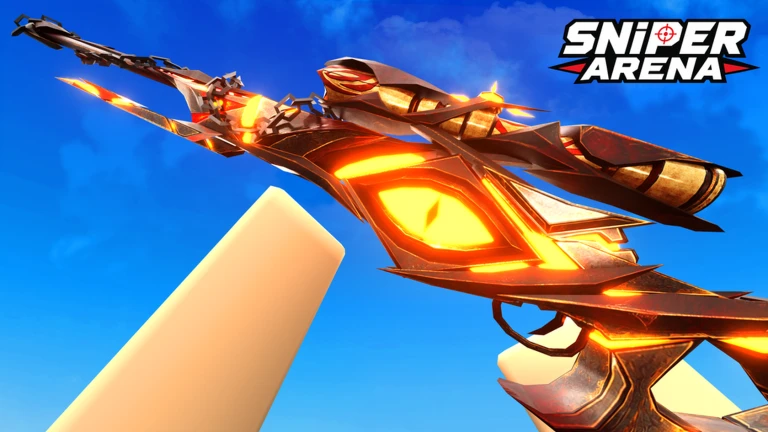

Description
Naga Hub is a feature-rich script for Sniper Arena on Roblox, offering configurable aiming tools, bot and player ESP, visual enhancements, and customizable controls. It includes target filters, adjustable aim smoothness, FOV settings, health bars, tracers, and distance indicators. The listing also describes mobile-friendly controls, configuration management, and Turkish and English language support.
Key Features
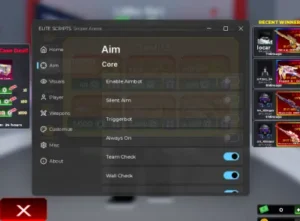
Aimbot & Target Settings
- Aimbot: Provides automated aiming functionality.
- Target Filter: Choose All, Bots Only, or Players Only.
- Aim Key Mode: Select E, V, Right Click, or Auto.
- Target Body Part: Choose Head, Neck, or Torso.
- Smoothness / Speed: Adjust aiming behavior with a slider.
- FOV Circle Radius: Customize the aiming radius.
- Wall Check: Includes a visibility-check option.
- Team Check: Provides a team-filtering option.
- Show FOV Circle: Displays the aiming field-of-view circle.
Bot ESP
- Bot ESP: Main toggle for bot visualization.
- Bot Nickname: Displays bot names with a blue
[Bot]tag. - Bot Chams: Highlights bots through walls, according to the listing.
- Bot Health Bar: Displays bot health.
- Bot Tracers: Shows lines pointing toward bots.
- Bot Distance: Displays distance information.
- Bot Head Dot: Marks bot head positions.
- Custom Colors & Sizes: Adjust visible and hidden chams colors, tracer thickness, and head-dot size.
Player ESP
- Player ESP: Main toggle for player visualization.
- Player Nickname: Displays player names.
- Player Chams: Highlights players through walls, according to the listing.
- Player Health Bar: Displays player health.
- Player Tracers: Shows lines pointing toward players.
- Player Distance: Displays distance information.
- Player Head Dot: Marks player head positions.
- Custom ESP Settings: Adjust visible and hidden colors, tracer thickness, head-dot size, and maximum ESP distance.
Visual & Movement Settings
- Custom FOV: Enables a configurable camera field of view.
- FOV Slider: Adjusts the field of view from 70 to 120.
- Fullbright: Improves visibility in dark areas.
- Remove Fog: Removes fog effects.
- Noclip: Provides movement through walls or certain objects, as described in the listing.
Configuration & Interface
- Save Configuration: Saves preferred settings.
- Load Configuration: Restores saved settings.
- Reset / Delete Config: Resets or deletes the configuration file.
- Toggle Menu Keybind: Customizes the menu shortcut.
- Draggable Floating Button: Provides a movable on-screen toggle.
- Mini Mobile Mode: Offers a compact interface with a 0.75x UI scale.
- Dual Language: Supports Turkish (TR) and English (EN).
- Feedback Modal: Opens the listed feedback interface using the End key.
- Unload Script: Removes the script from memory.
Anti-AFK
- Dual-Layer Anti-AFK: Includes a system described as providing protection against a 20-minute inactivity kick, along with a smart pulse feature.
Script Information
- Script Name: Naga Hub
- Supported Game: Sniper Arena
- Key System: The source listing labels it as requiring a key system; requirements may apply.
- Interface: Includes mobile controls and a compact mini mode.
- Languages: Turkish and English
- Status: No verified or working status was provided in the supplied listing.
Views
4+
Likes
0
Dislikes
0
Posted
1 week ago
Updated
1 week ago
Key System
Yes
Mobile
Supported
Script Preview
loadstring(game:HttpGet("https://gist.githubusercontent.com/wpertren-design/ed3cfcaef04cf57a2d75b4c3181347af/raw/NaGaHUB-Loader"))()How to Use This Script
1
Open Your Executor
Launch a supported executor and attach it to a running Roblox session.
2
Copy the Script
Click the Copy button above. The full loadstring is placed on your clipboard instantly.
3
Paste & Execute
Paste it into the executor and hit Execute. The hub window opens inside the game.
Features
Compatible Executors
Comments
0Join the discussion about this script.

No comments yet. Be the first to comment!