
Description
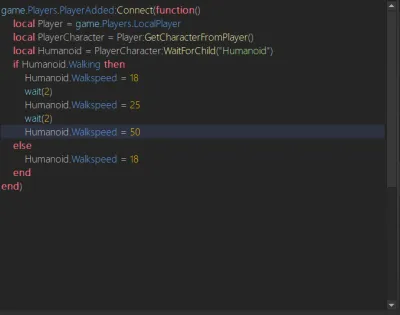
Unified Speed & Jump Controller Menu is a keyless universal Roblox script that provides simple controls for changing walk speed and jump height. The menu is draggable and can be opened using keyboard shortcuts, making it easy to adjust movement settings while playing.
Key Features
Movement Controls
- Speed Changer — Customize your character’s walk speed.
- Jump Height Controller — Adjust your character’s jump height.
- Draggable Menu — Move the controller menu around the screen.
- Keyboard Shortcuts — Press L or K to open the menu.
Script Information
- Script: Unified Speed & Jump Controller Menu
- Key System: Keyless
- Game: Universal
Supported Executors
- Xeno
Views
21+
Likes
0
Dislikes
0
Posted
2 weeks ago
Updated
2 weeks ago
Key System
No
Mobile
Supported
Script Preview
-- Unified Speed & Jump Controller Menu (Draggable)
-- Toggle Key: L or K

local Players = game:GetService("Players")
local UserInputService = game:GetService("UserInputService")

local player = Players.LocalPlayer
local playerGui = player:WaitForChild("PlayerGui")

-- Configuration
local TOGGLE_KEYS = { Enum.KeyCode.L, Enum.KeyCode.K }
local DEFAULT_SPEED = 16
local DEFAULT_JUMP = 50

-- Core GUI Elements
local screenGui = Instance.new("ScreenGui")
screenGui.Name = "MovementMenuGui"
screenGui.ResetOnSpawn = false
screenGui.Parent = playerGui

local mainFrame = Instance.new("Frame")
mainFrame.Name = "MainFrame"
mainFrame.Size = UDim2.new(0, 260, 0, 420)
mainFrame.Position = UDim2.new(0.5, -130, 0.5, -210)
mainFrame.BackgroundColor3 = Color3.fromRGB(25, 25, 30)
mainFrame.BorderSizePixel = 0
mainFrame.Visible = false
mainFrame.Parent = screenGui

local uiCorner = Instance.new("UICorner")
uiCorner.CornerRadius = UDim.new(0, 10)
uiCorner.Parent = mainFrame

local uiStroke = Instance.new("UIStroke")
uiStroke.Color = Color3.fromRGB(60, 60, 80)
uiStroke.Thickness = 1.5
uiStroke.Parent = mainFrame

--------------------------------------------------------------------------------
-- DRAGGABLE IMPLEMENTATION
--------------------------------------------------------------------------------
local dragging = false
local dragInput
local dragStart
local startPos

local function updateInput(input)
	local delta = input.Position - dragStart
	mainFrame.Position = UDim2.new(startPos.X.Scale, startPos.X.Offset + delta.X, startPos.Y.Scale, startPos.Y.Offset + delta.Y)
end

mainFrame.InputBegan:Connect(function(input)
	if input.UserInputType == Enum.UserInputType.MouseButton1 or input.UserInputType == Enum.UserInputType.Touch then
		dragging = true
		dragStart = input.Position
		startPos = mainFrame.Position

		input.Changed:Connect(function()
			if input.UserInputState == Enum.UserInputState.End then
				dragging = false
			end
		end)
	end
end)

mainFrame.InputChanged:Connect(function(input)
	if input.UserInputType == Enum.UserInputType.MouseMovement or input.UserInputType == Enum.UserInputType.Touch then
		dragInput = input
	end
end)

UserInputService.InputChanged:Connect(function(input)
	if input == dragInput and dragging then
		updateInput(input)
	end
end)

--------------------------------------------------------------------------------
-- TITLE HEADER
--------------------------------------------------------------------------------
local titleLabel = Instance.new("TextLabel")
titleLabel.Size = UDim2.new(1, 0, 0, 40)
titleLabel.BackgroundTransparency = 1
titleLabel.Text = "Movement Controls"
titleLabel.TextColor3 = Color3.fromRGB(255, 255, 255)
titleLabel.TextSize = 18
titleLabel.Font = Enum.Font.GothamBold
titleLabel.Parent = mainFrame

--------------------------------------------------------------------------------
-- SECTION 1: SPEED CONTROLLER
--------------------------------------------------------------------------------
local speedHeader = Instance.new("TextLabel")
speedHeader.Size = UDim2.new(0.85, 0, 0, 20)
speedHeader.Position = UDim2.new(0.075, 0, 0, 42)
speedHeader.BackgroundTransparency = 1
speedHeader.Text = "WALKSPEED"
speedHeader.TextColor3 = Color3.fromRGB(150, 150, 170)
speedHeader.TextSize = 11
speedHeader.Font = Enum.Font.GothamBold
speedHeader.TextXAlignment = Enum.TextXAlignment.Left
speedHeader.Parent = mainFrame

local function setSpeed(newSpeed)
	local char = player.Character
	if char then
		local humanoid = char:FindFirstChildOfClass("Humanoid")
		if humanoid then
			humanoid.WalkSpeed = math.clamp(newSpeed, 0, 500)
		end
	end
end

local function createSpeedButton(text, speedValue, posX, posY, sizeX)
	local btn = Instance.new("TextButton")
	btn.Size = UDim2.new(0, sizeX, 0, 30)
	btn.Position = UDim2.new(0.075 + posX, 0, 0, posY)
	btn.BackgroundColor3 = Color3.fromRGB(40, 40, 50)
	btn.Text = text
	btn.TextColor3 = Color3.fromRGB(220, 220, 240)
	btn.TextSize = 12
	btn.Font = Enum.Font.GothamMedium
	btn.BorderSizePixel = 0
	btn.Parent = mainFrame

	local btnCorner = Instance.new("UICorner")
	btnCorner.CornerRadius = UDim.new(0, 6)
	btnCorner.Parent = btn

	btn.MouseButton1Click:Connect(function()
		setSpeed(speedValue)
	end)
end

-- Speed Preset Buttons (3-column layout)
createSpeedButton("Normal (16)", 16, 0, 65, 70)
createSpeedButton("Fast (50)", 50, 75, 65, 70)
createSpeedButton("Super (100)", 100, 150, 65, 70)

-- Custom Speed Input
local speedInput = Instance.new("TextBox")
speedInput.Size = UDim2.new(0.85, 0, 0, 32)
speedInput.Position = UDim2.new(0.075, 0, 0, 102)
speedInput.BackgroundColor3 = Color3.fromRGB(35, 35, 45)
speedInput.Text = ""
speedInput.PlaceholderText = "Type custom speed..."
speedInput.PlaceholderColor3 = Color3.fromRGB(120, 120, 140)
speedInput.TextColor3 = Color3.fromRGB(255, 255, 255)
speedInput.TextSize = 12
speedInput.Font = Enum.Font.Gotham
speedInput.BorderSizePixel = 0
speedInput.Parent = mainFrame

local speedInputCorner = Instance.new("UICorner")
speedInputCorner.CornerRadius = UDim.new(0, 6)
speedInputCorner.Parent = speedInput

speedInput.FocusLost:Connect(function(enterPressed)
	if enterPressed then
		local num = tonumber(speedInput.Text)
		if num then setSpeed(num) end
		speedInput.Text = ""
	end
end)

--------------------------------------------------------------------------------
-- SECTION 2: JUMP CONTROLLER
--------------------------------------------------------------------------------
local jumpHeader = Instance.new("TextLabel")
jumpHeader.Size = UDim2.new(0.85, 0, 0, 20)
jumpHeader.Position = UDim2.new(0.075, 0, 0, 150)
jumpHeader.BackgroundTransparency = 1
jumpHeader.Text = "JUMP POWER"
jumpHeader.TextColor3 = Color3.fromRGB(150, 150, 170)
jumpHeader.TextSize = 11
jumpHeader.Font = Enum.Font.GothamBold
jumpHeader.TextXAlignment = Enum.TextXAlignment.Left
jumpHeader.Parent = mainFrame

local statusLabel = Instance.new("TextLabel")
statusLabel.Size = UDim2.new(0.85, 0, 0, 20)
statusLabel.Position = UDim2.new(0.075, 0, 0, 170)
statusLabel.BackgroundTransparency = 1
statusLabel.Text = "Current Jump: " .. tostring(DEFAULT_JUMP)
statusLabel.TextColor3 = Color3.fromRGB(150, 150, 170)
statusLabel.TextSize = 12
statusLabel.Font = Enum.Font.Gotham
statusLabel.Parent = mainFrame

local function setJumpPower(value)
	local numValue = tonumber(value)
	if not numValue then
		statusLabel.Text = "Invalid number!"
		statusLabel.TextColor3 = Color3.fromRGB(255, 80, 80)
		return
	end

	local char = player.Character
	if char then
		local humanoid = char:FindFirstChildOfClass("Humanoid")
		if humanoid then
			humanoid.UseJumpPower = true
			humanoid.JumpPower = numValue
			statusLabel.Text = "Current Jump: " .. tostring(numValue)
			statusLabel.TextColor3 = Color3.fromRGB(100, 255, 100)
		end
	end
end

-- Custom Jump Input Box
local jumpInput = Instance.new("TextBox")
jumpInput.Size = UDim2.new(0.85, 0, 0, 32)
jumpInput.Position = UDim2.new(0.075, 0, 0, 195)
jumpInput.BackgroundColor3 = Color3.fromRGB(35, 35, 45)
jumpInput.Text = ""
jumpInput.PlaceholderText = "Enter jump power..."
jumpInput.PlaceholderColor3 = Color3.fromRGB(120, 120, 140)
jumpInput.TextColor3 = Color3.fromRGB(255, 255, 255)
jumpInput.TextSize = 12
jumpInput.Font = Enum.Font.Gotham
jumpInput.BorderSizePixel = 0
jumpInput.ClearTextOnFocus = false
jumpInput.Parent = mainFrame

local jumpInputCorner = Instance.new("UICorner")
jumpInputCorner.CornerRadius = UDim.new(0, 6)
jumpInputCorner.Parent = jumpInput

jumpInput.FocusLost:Connect(function(enterPressed)
	if enterPressed then
		setJumpPower(jumpInput.Text)
	end
end)

-- Jump Preset Buttons
local JUMP_PRESETS = {
	{ Name = "Normal (50)", Value = 50 },
	{ Name = "High (100)", Value = 100 },
	{ Name = "Super (200)", Value = 200 },
	{ Name = "Mega (500)", Value = 500 }
}

local function createJumpPresetButton(presetData, posY)
	local btn = Instance.new("TextButton")
	btn.Size = UDim2.new(0.85, 0, 0, 32)
	btn.Position = UDim2.new(0.075, 0, 0, posY)
	btn.BackgroundColor3 = Color3.fromRGB(40, 40, 50)
	btn.Text = presetData.Name
	btn.TextColor3 = Color3.fromRGB(220, 220, 240)
	btn.TextSize = 12
	btn.Font = Enum.Font.GothamMedium
	btn.BorderSizePixel = 0
	btn.Parent = mainFrame

	local btnCorner = Instance.new("UICorner")
	btnCorner.CornerRadius = UDim.new(0, 6)
	btnCorner.Parent = btn

	btn.MouseButton1Click:Connect(function()
		setJumpPower(presetData.Value)
	end)
end

local jumpStartPosY = 237
for i, preset in ipairs(JUMP_PRESETS) do
	createJumpPresetButton(preset, jumpStartPosY + ((i - 1) * 38))
end

--------------------------------------------------------------------------------
-- EVENT LISTENERS & RESPAWN HANDLING
--------------------------------------------------------------------------------
UserInputService.InputBegan:Connect(function(input, processed)
	if processed then return end
	for _, key in ipairs(TOGGLE_KEYS) do
		if input.KeyCode == key then
			mainFrame.Visible = not mainFrame.Visible
			break
		end
	end
end)

player.CharacterAdded:Connect(function(char)
	local humanoid = char:WaitForChild("Humanoid")
	humanoid.WalkSpeed = DEFAULT_SPEED

	task.wait(0.5)
	local currentJumpVal = tonumber(jumpInput.Text) or DEFAULT_JUMP
	humanoid.UseJumpPower = true
	humanoid.JumpPower = currentJumpVal
end)
How to Use This Script
1
Open Your Executor
Launch a supported executor and attach it to a running Roblox session.
2
Copy the Script
Click the Copy button above. The full loadstring is placed on your clipboard instantly.
3
Paste & Execute
Paste it into the executor and hit Execute. The hub window opens inside the game.
Features
Compatible Executors
Similar Scripts
 3
14 hours ago
No Key
3
14 hours ago
No Key
Minecraft V2 Script – Creative Mode, Block Building & Physics
Universal
 3
1 day ago
Key System
3
1 day ago
Key System
Tower Buyer Script – Gnome Code, Tower Shop & Hidden Towers
Universal
 1
6 days ago
Key System
1
6 days ago
Key System
Xeno Hub Universal Script – 3,700+ Scripts, Multi-Game Support
Universal
 3
1 week ago
Key System
3
1 week ago
Key System
Arcane Hub Script – 100+ Games, 2000+ Features & Universal Script Hub
Universal
 13
1 week ago
No Key
13
1 week ago
No Key
Universal – Samui Script Aimlock, Camlock & FPS Boost, Keyless
Universal
 5
1 week ago
No Key
5
1 week ago
No Key
rsHub Script Hub – Free, Keyless, 16 Roblox Games & Auto Farm
Universal
Comments
0Join the discussion about this script.

No comments yet. Be the first to comment!