
Description
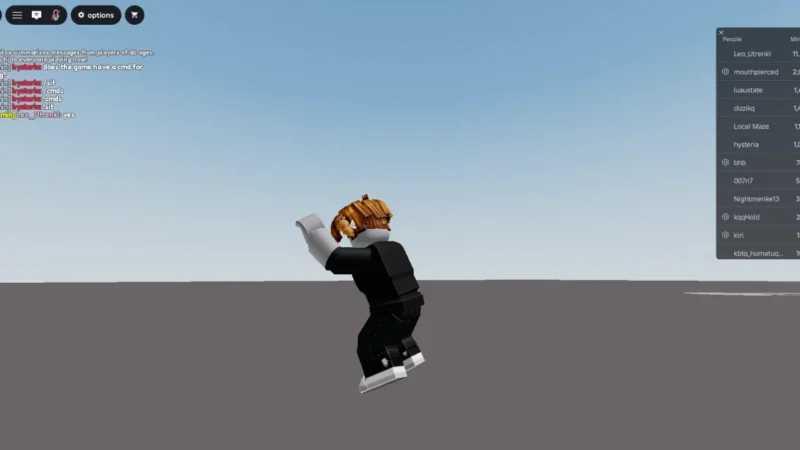
Modern Character Freeze / Anchor Script is a keyless universal Roblox script designed to freeze or anchor your character in place. It can help prevent the character from being moved unexpectedly, including being flung by physics.
The script is open source according to the listing and can be activated quickly using a keyboard shortcut.
Key Features
Character Control
- Character Freeze / Anchor — Freezes or anchors the character in place.
- Anti-Fling — Helps prevent the character from being flung.
- Quick Activation — Press ‘ to activate anchor mode.
- Open Source — The listing describes the script as open source.
Script Information
- Script: Modern Character Freeze / Anchor Script
- Key System: Keyless
- Game: Universal
Supported Executors
- Xeno
- Potassium
Views
22+
Likes
0
Dislikes
0
Posted
2 weeks ago
Updated
2 weeks ago
Key System
No
Mobile
Supported
Script Preview
-- Modern Character Freeze / Anchor Script
-- Toggle Key: ' (Single Quote)

local Players = game:GetService("Players")
local UserInputService = game:GetService("UserInputService")

local player = Players.LocalPlayer

-- Configuration
local TOGGLE_KEY = Enum.KeyCode.Quote

-- Core State
local isFrozen = false

-- Function to Toggle Freeze State
local function toggleFreeze()
	local char = player.Character
	if not char then return end

	local hrp = char:FindFirstChild("HumanoidRootPart") or char:FindFirstChild("Torso")
	local humanoid = char:FindFirstChildOfClass("Humanoid")

	isFrozen = not isFrozen

	if hrp then
		-- Anchoring Root Part stops all physical movement and knockback
		hrp.Anchored = isFrozen
	end

	if humanoid then
		-- Disable jump while frozen to prevent animation glitches
		humanoid:SetStateEnabled(Enum.HumanoidStateType.Jumping, not isFrozen)
	end
end

-- Keybind Listener
UserInputService.InputBegan:Connect(function(input, processed)
	-- Skip if actively typing in chat or a menu textbox
	if processed then return end

	if input.KeyCode == TOGGLE_KEY then
		toggleFreeze()
	end
end)

-- Unfreeze if character respawns
player.CharacterAdded:Connect(function()
	isFrozen = false
end)
How to Use This Script
1
Open Your Executor
Launch a supported executor and attach it to a running Roblox session.
2
Copy the Script
Click the Copy button above. The full loadstring is placed on your clipboard instantly.
3
Paste & Execute
Paste it into the executor and hit Execute. The hub window opens inside the game.
Features
Compatible Executors
Similar Scripts
 0
8 hours ago
Key System
0
8 hours ago
Key System
Tower Buyer Script – Gnome Code, Tower Shop & Hidden Towers
Universal
 1
5 days ago
Key System
1
5 days ago
Key System
Xeno Hub Universal Script – 3,700+ Scripts, Multi-Game Support
Universal
 3
6 days ago
Key System
3
6 days ago
Key System
Arcane Hub Script – 100+ Games, 2000+ Features & Universal Script Hub
Universal
 13
1 week ago
No Key
13
1 week ago
No Key
Universal – Samui Script Aimlock, Camlock & FPS Boost, Keyless
Universal
 5
1 week ago
No Key
5
1 week ago
No Key
rsHub Script Hub – Free, Keyless, 16 Roblox Games & Auto Farm
Universal
 5
1 week ago
No Key
5
1 week ago
No Key
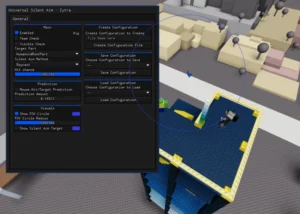
Zytra Universal Script – Keyless Silent Aim, Custom Configs & PC Executors
Universal
Comments
0Join the discussion about this script.

No comments yet. Be the first to comment!