
Description
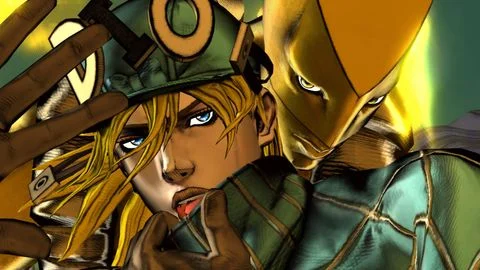
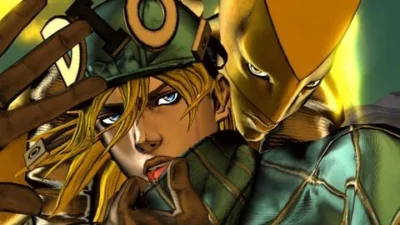
The World JoJo Stand is a simple Universal Roblox script based on the JoJo universe. It adds a Diego Brando-themed stand feature and includes basic controls for using the stand in supported Roblox experiences.
Key Features
Stand Features
- The World Stand
- Diego Brando Theme
- JoJo Stand Ability
- Stand-Based Gameplay
- Simple Stand Controls
- Easy-to-Use Features
Script Features
- Universal Script
- Simple Interface
- Lightweight Setup
- Easy to Execute
- Additional Features May Be Added
Supported Games
- Universal Roblox Games
- Roblox games that support the script’s stand features
- More compatibility may be added by the developer
Views
10+
Likes
0
Dislikes
0
Posted
3 weeks ago
Updated
3 weeks ago
Key System
No
Mobile
Supported
Script Preview
local Players = game:GetService("Players")
local RunService = game:GetService("RunService")
local Debris = game:GetService("Debris")
local UserInputService = game:GetService("UserInputService")
local TextChatService = game:GetService("TextChatService")

local function SendChatMessage(message)
    if TextChatService.ChatVersion == Enum.ChatVersion.TextChatService then
        local textChannel = TextChatService.TextChannels:FindFirstChild("RBXGeneral")
        if textChannel then
            textChannel:SendAsync(message)
        end
    else
        game:GetService("ReplicatedStorage").DefaultChatSystemChatEvents.SayMessageRequest:FireServer(message, "All")
    end
end

local player = Players.LocalPlayer

local function GetNearestPlayerInFront(targetPlayer, maxAngle)
    maxAngle = maxAngle or 60

    if not targetPlayer.Character then return nil end
    local targetHRP = targetPlayer.Character:FindFirstChild("HumanoidRootPart")
    if not targetHRP then return nil end

    local targetLook = targetHRP.CFrame.LookVector

    local closest = nil
    local closestDist = math.huge

    for _, p in pairs(Players:GetPlayers()) do
        if p ~= player and p ~= targetPlayer and p.Character then
            local hrp = p.Character:FindFirstChild("HumanoidRootPart")
            if hrp then
                local difference = hrp.Position - targetHRP.Position

                if difference.Magnitude > 0 then
                    local vec = difference.Unit
                    local dot = math.clamp(targetLook:Dot(vec), -1, 1)
                    local angle = math.deg(math.acos(dot))

                    if angle <= maxAngle then
                        local dist = difference.Magnitude

                        if dist < closestDist then
                            closestDist = dist
                            closest = hrp
                        end
                    end
                end
            end
        end
    end

    return closest
end

local character = player.Character or player.CharacterAdded:Wait()
local humanoidRootPart = character:WaitForChild("HumanoidRootPart")
local humanoid = character:FindFirstChildOfClass("Humanoid") or character:WaitForChild("Humanoid")

local standDistance = 3
local sideOffset = 2
local heightOffset = 2
local followSpeed = 0.35
local flingDuration = 1
local followDuration = 0.6

local punchSoundId = "rbxassetid://104126666677335"
local heavyPunchSoundId = "rbxassetid://6164853733"

local summonSoundIds = {
    "rbxassetid://92122894424153",
    "rbxassetid://113205846415062"
}

----------------------------------------------------------------
-- JOJO STAND CONTROLLER GUI
----------------------------------------------------------------

local screenGui = Instance.new("ScreenGui")
screenGui.Name = "StandControllerGUI"
screenGui.ResetOnSpawn = false
screenGui.ZIndexBehavior = Enum.ZIndexBehavior.Sibling
screenGui.Parent = player:WaitForChild("PlayerGui")

-- Colors
local JOJO_BLACK = Color3.fromRGB(12, 8, 18)
local JOJO_PURPLE = Color3.fromRGB(80, 20, 120)
local JOJO_DARK_PURPLE = Color3.fromRGB(35, 12, 55)
local JOJO_GOLD = Color3.fromRGB(255, 190, 55)
local JOJO_WHITE = Color3.fromRGB(245, 240, 255)
local JOJO_RED = Color3.fromRGB(180, 35, 55)

-- Main frame
local mainFrame = Instance.new("Frame")
mainFrame.Size = UDim2.new(0, 220, 0, 310)
mainFrame.Position = UDim2.new(0.05, 0, 0.5, -155)
mainFrame.BackgroundColor3 = JOJO_BLACK
mainFrame.BorderSizePixel = 0
mainFrame.ClipsDescendants = true
mainFrame.Parent = screenGui

local mainCorner = Instance.new("UICorner")
mainCorner.CornerRadius = UDim.new(0, 14)
mainCorner.Parent = mainFrame

local border = Instance.new("UIStroke")
border.Color = JOJO_PURPLE
border.Thickness = 3
border.Parent = mainFrame

-- Gold inner outline
local innerBorder = Instance.new("UIStroke")
innerBorder.Color = JOJO_GOLD
innerBorder.Thickness = 1
innerBorder.Transparency = 0.25
innerBorder.Parent = mainFrame

-- Top bar
local topBar = Instance.new("Frame")
topBar.Size = UDim2.new(1, 0, 0, 6)
topBar.Position = UDim2.new(0, 0, 0, 0)
topBar.BackgroundColor3 = JOJO_PURPLE
topBar.BorderSizePixel = 0
topBar.Parent = mainFrame

-- Side bar
local sideBar = Instance.new("Frame")
sideBar.Size = UDim2.new(0, 4, 1, -6)
sideBar.Position = UDim2.new(0, 0, 0, 6)
sideBar.BackgroundColor3 = JOJO_GOLD
sideBar.BorderSizePixel = 0
sideBar.Parent = mainFrame

-- Title
local title = Instance.new("TextLabel")
title.Size = UDim2.new(1, -55, 0, 30)
title.Position = UDim2.new(0, 15, 0, 9)
title.BackgroundTransparency = 1
title.Text = "「 STAND 」"
title.TextColor3 = JOJO_GOLD
title.Font = Enum.Font.GothamBlack
title.TextSize = 20
title.TextXAlignment = Enum.TextXAlignment.Left
title.Parent = mainFrame

-- Subtitle
local subtitle = Instance.new("TextLabel")
subtitle.Size = UDim2.new(1, -20, 0, 18)
subtitle.Position = UDim2.new(0, 15, 0, 35)
subtitle.BackgroundTransparency = 1
subtitle.Text = "STAR PLATINUM • CONTROL"
subtitle.TextColor3 = JOJO_WHITE
subtitle.TextTransparency = 0.2
subtitle.Font = Enum.Font.GothamBold
subtitle.TextSize = 9
subtitle.TextXAlignment = Enum.TextXAlignment.Left
subtitle.Parent = mainFrame

-- Close button
local closeBtn = Instance.new("TextButton")
closeBtn.Size = UDim2.new(0, 30, 0, 27)
closeBtn.Position = UDim2.new(1, -39, 0, 10)
closeBtn.Text = "X"
closeBtn.Font = Enum.Font.GothamBlack
closeBtn.TextSize = 14
closeBtn.TextColor3 = JOJO_WHITE
closeBtn.BackgroundColor3 = JOJO_DARK_PURPLE
closeBtn.BorderSizePixel = 0
closeBtn.Parent = mainFrame

local closeCorner = Instance.new("UICorner")
closeCorner.CornerRadius = UDim.new(0, 7)
closeCorner.Parent = closeBtn

local closeStroke = Instance.new("UIStroke")
closeStroke.Color = JOJO_RED
closeStroke.Thickness = 1.5
closeStroke.Parent = closeBtn

-- Divider
local divider = Instance.new("Frame")
divider.Size = UDim2.new(1, -28, 0, 2)
divider.Position = UDim2.new(0, 14, 0, 59)
divider.BackgroundColor3 = JOJO_PURPLE
divider.BorderSizePixel = 0
divider.Parent = mainFrame
-- GUI toggle
local guiToggle = Instance.new("TextButton")
guiToggle.Size = UDim2.new(0, 58, 0, 30)
guiToggle.Position = UDim2.new(0.5, -29, 1, -42)
guiToggle.Text = "「 GUI 」"
guiToggle.Font = Enum.Font.GothamBlack
guiToggle.TextSize = 12
guiToggle.TextColor3 = JOJO_GOLD
guiToggle.BackgroundColor3 = JOJO_BLACK
guiToggle.BorderSizePixel = 0
guiToggle.Parent = screenGui

local toggleCorner = Instance.new("UICorner")
toggleCorner.CornerRadius = UDim.new(0, 8)
toggleCorner.Parent = guiToggle

local toggleStroke = Instance.new("UIStroke")
toggleStroke.Color = JOJO_PURPLE
toggleStroke.Thickness = 2
toggleStroke.Parent = guiToggle

local guiVisible = true

guiToggle.MouseButton1Click:Connect(function()
    guiVisible = not guiVisible
    mainFrame.Visible = guiVisible
end)

closeBtn.MouseButton1Click:Connect(function()
    mainFrame.Visible = false
    guiVisible = false
end)

-- Button creator
local function makeButton(text, y)
    local b = Instance.new("TextButton")

    b.Size = UDim2.new(0.78, 0, 0, 36)
    b.Position = UDim2.new(0.11, 0, 0, y)

    b.Text = "「 " .. text .. " 」"
    b.Font = Enum.Font.GothamBlack
    b.TextSize = 13
    b.TextColor3 = JOJO_WHITE

    b.BackgroundColor3 = JOJO_DARK_PURPLE
    b.BorderSizePixel = 0
    b.AutoButtonColor = false
    b.Parent = mainFrame

    local corner = Instance.new("UICorner")
    corner.CornerRadius = UDim.new(0, 9)
    corner.Parent = b

    local stroke = Instance.new("UIStroke")
    stroke.Color = JOJO_PURPLE
    stroke.Thickness = 2
    stroke.Parent = b

    b.MouseEnter:Connect(function()
        b.BackgroundColor3 = JOJO_PURPLE
        b.TextColor3 = JOJO_GOLD
        stroke.Color = JOJO_GOLD
    end)

    b.MouseLeave:Connect(function()
        b.BackgroundColor3 = JOJO_DARK_PURPLE
        b.TextColor3 = JOJO_WHITE
        stroke.Color = JOJO_PURPLE
    end)

    return b
end

local standBtn = makeButton("STAND: OFF", 68)

local targetBox = Instance.new("TextBox")
targetBox.Size = UDim2.new(0.78, 0, 0, 36)
targetBox.Position = UDim2.new(0.11, 0, 0, 112)
targetBox.PlaceholderText = "ENTER TARGET NAME"
targetBox.ClearTextOnFocus = false
targetBox.Font = Enum.Font.GothamBold
targetBox.TextSize = 13
targetBox.BackgroundColor3 = JOJO_DARK_PURPLE
targetBox.TextColor3 = JOJO_WHITE
targetBox.PlaceholderColor3 = Color3.fromRGB(150, 130, 170)
targetBox.BorderSizePixel = 0
targetBox.Parent = mainFrame

local targetCorner = Instance.new("UICorner")
targetCorner.CornerRadius = UDim.new(0, 9)
targetCorner.Parent = targetBox

local targetStroke = Instance.new("UIStroke")
targetStroke.Color = JOJO_PURPLE
targetStroke.Thickness = 2
targetStroke.Parent = targetBox

targetBox.Focused:Connect(function()
    targetStroke.Color = JOJO_GOLD
end)

targetBox.FocusLost:Connect(function()
    targetStroke.Color = JOJO_PURPLE
end)

local punchBtn = makeButton("MUDA MUDA!", 154)

local function makeSlider(labelText, y, default, min, max, callback)

    local lbl = Instance.new("TextLabel")
    lbl.Size = UDim2.new(0.72, 0, 0, 16)
    lbl.Position = UDim2.new(0.14, 0, 0, y)
    lbl.BackgroundTransparency = 1
    lbl.Text = labelText .. ": " .. tostring(default)
    lbl.TextColor3 = JOJO_GOLD
    lbl.Font = Enum.Font.GothamBold
    lbl.TextSize = 11
    lbl.TextXAlignment = Enum.TextXAlignment.Left
    lbl.Parent = mainFrame

    local box = Instance.new("TextBox")
    box.Size = UDim2.new(0.72, 0, 0, 20)
    box.Position = UDim2.new(0.14, 0, 0, y + 16)
    box.Text = tostring(default)
    box.ClearTextOnFocus = false
    box.BackgroundColor3 = JOJO_DARK_PURPLE
    box.TextColor3 = JOJO_WHITE
    box.Font = Enum.Font.GothamBold
    box.TextSize = 13
    box.BorderSizePixel = 0
    box.Parent = mainFrame

    local corner = Instance.new("UICorner")
    corner.CornerRadius = UDim.new(0, 6)
    corner.Parent = box

    local stroke = Instance.new("UIStroke")
    stroke.Color = JOJO_PURPLE
    stroke.Thickness = 1
    stroke.Parent = box

    box.Focused:Connect(function()
        stroke.Color = JOJO_GOLD
    end)

    box.FocusLost:Connect(function()
        stroke.Color = JOJO_PURPLE

        local num = tonumber(box.Text)

        if num then
            num = math.clamp(num, min, max)
            box.Text = tostring(num)
            lbl.Text = labelText .. ": " .. tostring(num)
            callback(num)
        else
            box.Text = tostring(default)
        end
    end)

    return box, lbl
end

local posBox, posLabel = makeSlider(
    "POSITION",
    192,
    standDistance,
    0,
    20,
    function(v)
        standDistance = v
    end
)

local offBox, offLabel = makeSlider(
    "OFFSET",
    220,
    sideOffset,
    -10,
    10,
    function(v)
        sideOffset = v
    end
)

local heightBox, heightLabel = makeSlider(
    "FLOAT HEIGHT",
    248,
    heightOffset,
    0,
    10,
    function(v)
        heightOffset = v
    end
)
-- Dragging
do
    local dragging = false
    local dragStart = Vector2.new()
    local startPos = mainFrame.Position

    mainFrame.InputBegan:Connect(function(input)
        if input.UserInputType == Enum.UserInputType.MouseButton1
            or input.UserInputType == Enum.UserInputType.Touch then

            -- Don't drag when clicking controls
            if input.Target == closeBtn
                or input.Target == guiToggle then
                return
            end

            dragging = true
            dragStart = input.Position
            startPos = mainFrame.Position

            input.Changed:Connect(function()
                if input.UserInputState == Enum.UserInputState.End then
                    dragging = false
                end
            end)
        end
    end)

    RunService.RenderStepped:Connect(function()
        if dragging then
            local mousePos = UserInputService:GetMouseLocation()
            local delta = mousePos - dragStart

            local newX = math.clamp(
                startPos.X.Offset + delta.X,
                0,
                workspace.CurrentCamera.ViewportSize.X - mainFrame.Size.X.Offset
            )

            local newY = math.clamp(
                startPos.Y.Offset + delta.Y,
                0,
                workspace.CurrentCamera.ViewportSize.Y - mainFrame.Size.Y.Offset
            )

            mainFrame.Position = UDim2.new(0, newX, 0, newY)
        end
    end)
end

----------------------------------------------------------------
-- EVERYTHING BELOW IS YOUR ORIGINAL SCRIPT
----------------------------------------------------------------

local function findTargetByName(namePart)
    if not namePart or namePart == "" then
        return nil
    end

    namePart = namePart:lower()

    for _, p in pairs(Players:GetPlayers()) do
        if p ~= player and p.Name:lower():find(namePart) then
            return p
        end
    end

    return nil
end

local standOn = false
local bp, gyro = nil, nil
local floatTime = 0

local vanished = false
local savedCharacterCFrame = nil
local savedCameraSubject = nil

local VANISH_HEIGHT = 1000

local BLOCK_DISTANCE = 3
local blocking = false

local function enableStand()
    for _, part in pairs(character:GetDescendants()) do
        if part:IsA("BasePart") then
            part.CanCollide = false
        end
    end

    if not bp then
        bp = Instance.new("BodyPosition")
        bp.MaxForce = Vector3.new(4e5, 4e5, 4e5)
        bp.P = 2000
        bp.D = 50
        bp.Position = humanoidRootPart.Position
        bp.Parent = humanoidRootPart
    end

    if not gyro then
        gyro = Instance.new("BodyGyro")
        gyro.P = 2000
        gyro.D = 50
        gyro.MaxTorque = Vector3.new(4e5, 4e5, 4e5)
        gyro.CFrame = humanoidRootPart.CFrame
        gyro.Parent = humanoidRootPart
    end
end

local function disableStand()
    for _, part in pairs(character:GetDescendants()) do
        if part:IsA("BasePart") then
            part.CanCollide = true
        end
    end

    if bp then
        bp:Destroy()
        bp = nil
    end

    if gyro then
        gyro:Destroy()
        gyro = nil
    end
end

standBtn.MouseButton1Click:Connect(function()
    standOn = not standOn

    standBtn.Text = standOn
        and "「 STAND: ON 」"
        or "「 STAND: OFF 」"

    if standOn then
        enableStand()

        local t = findTargetByName(targetBox.Text)

        if t and t.Character and t.Character:FindFirstChild("HumanoidRootPart") then
            for _, id in ipairs(summonSoundIds) do
                local summon = Instance.new("Sound", humanoidRootPart)
                summon.SoundId = id
                summon.Volume = 1
                summon:Play()
                Debris:AddItem(summon, 3)
            end
        end

        SendChatMessage(
            "control: vanish,summon,barrage,block,unblock"
        )
    else
        blocking = false
        disableStand()
    end
end)

RunService.RenderStepped:Connect(function(dt)
    if standOn and bp and gyro and targetBox.Text ~= "" then

        if vanished and savedCharacterCFrame then
            bp.Position = Vector3.new(
                savedCharacterCFrame.Position.X,
                VANISH_HEIGHT,
                savedCharacterCFrame.Position.Z
            )

            gyro.CFrame = CFrame.new(
                bp.Position,
                bp.Position + savedCharacterCFrame.LookVector
            )

            return
        end

        floatTime += dt * 2
        local floatOffset = math.sin(floatTime) * 0.5

        local t = findTargetByName(targetBox.Text)

        if t and t.Character and t.Character:FindFirstChild("HumanoidRootPart") then
            local targetHRP = t.Character.HumanoidRootPart
            local tcf = targetHRP.CFrame
            local desiredPos

            if blocking then
                desiredPos =
                    tcf.Position
                    + tcf.LookVector * BLOCK_DISTANCE
                    + Vector3.new(0, heightOffset, 0)
            else
                desiredPos =
                    tcf.Position
                    - tcf.LookVector * standDistance
                    + tcf.RightVector * sideOffset
                    + Vector3.new(0, heightOffset + floatOffset, 0)
            end

            bp.Position = bp.Position:Lerp(
                desiredPos,
                math.clamp(followSpeed, 0.01, 1)
            )

            gyro.CFrame = CFrame.new(
                humanoidRootPart.Position,
                humanoidRootPart.Position + tcf.LookVector
            )
        end
    end
end)

local function runPastebinStyleFling(duration)
    local start = tick()
    local movel = 0.1

    while tick() - start  0 then
                    stopLevitateIdle()
                    playMoveAnim()
                else
                    stopMoveAnim()
                    playLevitateIdle()
                end
            end
        else
            stopMoveAnim()
            playLevitateIdle()
        end
    else
        stopLevitateIdle()
        stopMoveAnim()
    end
end)

local Players = game:GetService("Players")
local UserInputService = game:GetService("UserInputService")
local RunService = game:GetService("RunService")

local player = Players.LocalPlayer
local noclip = false

local function setNoclip(enabled)
	noclip = enabled
end

UserInputService.InputBegan:Connect(function(input, gameProcessed)
	if gameProcessed then return end

	if input.KeyCode == Enum.KeyCode.N then
		setNoclip(not noclip)
		print("Noclip:", noclip and "ON" or "OFF")
	end
end)

RunService.Stepped:Connect(function()
	if not noclip then return end

	local character = player.Character
	if not character then return end

	for _, part in ipairs(character:GetDescendants()) do
		if part:IsA("BasePart") then
			part.CanCollide = false
		end
	end
end)
How to Use This Script
1
Open Your Executor
Launch a supported executor and attach it to a running Roblox session.
2
Copy the Script
Click the Copy button above. The full loadstring is placed on your clipboard instantly.
3
Paste & Execute
Paste it into the executor and hit Execute. The hub window opens inside the game.
Features
Similar Scripts
 0
10 hours ago
Key System
0
10 hours ago
Key System
Tower Buyer Script – Gnome Code, Tower Shop & Hidden Towers
Universal
 1
5 days ago
Key System
1
5 days ago
Key System
Xeno Hub Universal Script – 3,700+ Scripts, Multi-Game Support
Universal
 3
7 days ago
Key System
3
7 days ago
Key System
Arcane Hub Script – 100+ Games, 2000+ Features & Universal Script Hub
Universal
 13
1 week ago
No Key
13
1 week ago
No Key
Universal – Samui Script Aimlock, Camlock & FPS Boost, Keyless
Universal
 5
1 week ago
No Key
5
1 week ago
No Key
rsHub Script Hub – Free, Keyless, 16 Roblox Games & Auto Farm
Universal
 5
1 week ago
No Key
5
1 week ago
No Key
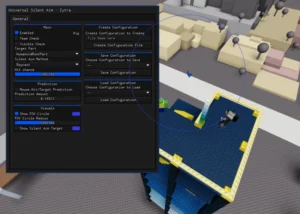
Zytra Universal Script – Keyless Silent Aim, Custom Configs & PC Executors
Universal
Comments
0Join the discussion about this script.

No comments yet. Be the first to comment!