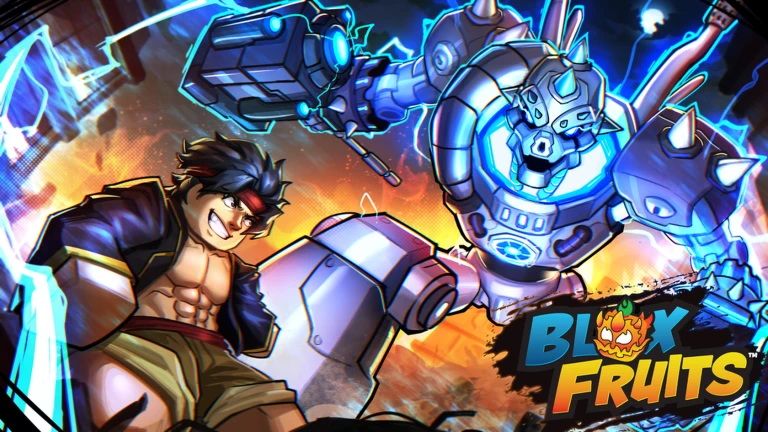

Description
The Tradesmith Script for Roblox Blox Fruits is an automated trading tool designed to evaluate trade offers using a community item value list. It compares both sides of a trade and accepts offers only when they meet your selected profit requirements.
During the first setup, the script asks you a few questions about which items to keep, trade, or remove, your preferred profit margin, an optional target fruit, and whether you want to trade automatically or use Watch Mode.
Tradesmith is keyless, and it includes a trading panel with six sections for managing items, checking market values, reviewing activity, and changing settings.
Key Features
Auto Trading & Profit Checking
- Auto Trade – Automatically handles eligible trade offers.
- Prices Every Offer – Checks the value of both sides of each offer.
- Only Takes Profitable Trades – Accepts trades that meet your selected profit requirement.
- Target Fruit – Allows you to select a fruit you want to obtain.
- Watch Mode – Lets you observe trade decisions before enabling automatic trading.
Item Protection
- Item Locks – Protects locked items from being traded.
- Gamepass Protection – Does not give away gamepasses or permanent fruits that have not been released.
- Unpriced Item Protection – Rejects offers containing items it cannot price.
- Bait-Switch Protection – Rechecks the trade window before accepting and cancels if the offer changes.
- Trade Rule Check – Checks the game’s trading rules before making an offer.
Trading Dashboard
The interface includes six pages:
- Home – Main trading controls.
- Activity – Displays trade offers and reasons for accepting or rejecting them.
- Items – Manages items and item locks.
- Market – Displays community trading values.
- Dashboard – Provides trading activity information.
- Settings – Contains script configuration options.
Mobile & Remote Monitoring
- Live Phone Dashboard – Optional dashboard for monitoring trades from a phone.
- Mobile Support – Includes mobile-friendly controls.
- Ctrl Hide – Press Ctrl to hide the panel on supported devices.
- TS Button – Tap the TS button to access the panel on a phone.
Script Information
- Script Name: Tradesmith
- Supported Game: Blox Fruits
- Key System: Keyless
- Script Type: Automated Trading Bot
- Posted By: mohitgurnanivegan538
- Script Status: Not independently verified
Supported Game
Blox Fruits
Supported Executors
The source listing names these executors:
- Xeno
- Volt
- Potassium
- Wave
- Delta
- Velocity

Script Preview
loadstring(game:HttpGet("https://raw.githubusercontent.com/robomohit/tradesmith/main/tradesmith.luau"))()How to Use This Script
Open Your Executor
Launch a supported executor and attach it to a running Roblox session.
Copy the Script
Click the Copy button above. The full loadstring is placed on your clipboard instantly.
Paste & Execute
Paste it into the executor and hit Execute. The hub window opens inside the game.
Features
Compatible Executors
Similar Scripts
 3
4 days ago
No Key
3
4 days ago
No Key
 0
5 days ago
Key System
0
5 days ago
Key System
 9
7 days ago
No Key
9
7 days ago
No Key
 38
4 weeks ago
No Key
38
4 weeks ago
No Key
 19
1 month ago
No Key
19
1 month ago
No Key
 20
1 month ago
No Key
20
1 month ago
No Key
Comments
0
No comments yet. Be the first to comment!