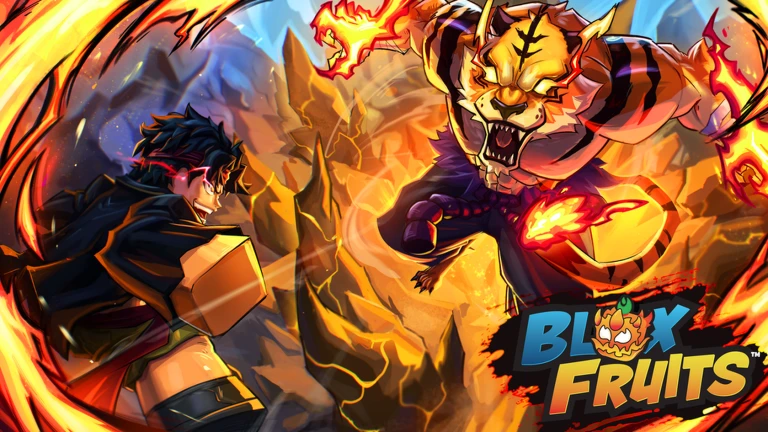

Description
Zero Point is a keyless script for Blox Fruits on Roblox, featuring automated leveling, combat, weapon mastery, chest farming, material collection, and stat upgrades. It includes customizable settings for quest selection, enemy targeting, skill usage, and fruit purchases. The source listing marks it as verified and reports Xeno support, but compatibility and functionality may change with game updates.
Key Features
Combat & Kill Aura
- Kill Aura: Automatically attacks nearby targets.
- Activation Distance: Adjusts the attack range.
- Attack Delay: Controls the time between attacks.
- Attack NPCs & Players: Selects which targets to attack.
- Ignore Friends & Teammates: Excludes selected players.
- Line of Sight: Adds a visibility check for targets.
Auto Farm — Leveling & Quests
- Auto Level: Automates the leveling process.
- Auto Quest: Automatically handles quests.
- Smart Quest Selection: Choose quest priorities based on balanced progress, fastest XP, shortest travel, or easier enemies.
- Skip Boss Quests: Skips boss-related quests.
- Auto Equip Weapon: Automatically equips a weapon.
- Mob Magnet & Multi-Hit: Helps group enemies and attack multiple targets.
- Quest Switching: Configures when active quests should change.
- Movement Settings: Adjusts tween speed, travel distance, and farming height.
- Recovery Options: Includes lagback recovery, far-island respawning, noclip, and zero-velocity settings.
Auto Mastery
- Auto Mastery: Automates weapon mastery farming.
- Target Mastery Level: Sets a desired mastery level.
- Weapon Selection: Choose the currently equipped weapon, lowest-mastery weapon, a named weapon, or a weapon type.
- Supported Weapon Types: Melee, Sword, and Blox Fruit.
- Mastery Finisher: Uses configurable finishing attacks.
- Damage Weapon: Lets you configure which weapon is used for damage.
Auto Chest Farming
- Auto Chest Farm: Automatically searches for and farms chests.
- Farm Modes: Choose between general farming and chest-only farming.
- Maximum Chest Distance: Sets the search range.
- Search Interval: Controls how often the script searches.
- Travel Speed & Retry Cooldown: Adjusts movement and retry timing.
Auto Material Collection
- Auto Material: Automates collecting selected materials.
- Target Amount: Sets when collection should stop.
- Preferred NPC: Selects a preferred NPC.
- Maximum Search Distance: Limits the search range.
Supported materials listed:
- Scrap Metal, Leather, Magma Ore, Angel Wings, and Fish Tail
- Radioactive Material, Vampire Fang, Mystic Droplet, and Mini Tusk
- Gunpowder, Conjured Cocoa, Dragon Scale, and Ectoplasm
- Demonic Wisp, Bones, and Yeti Fur
Auto Stats & Skills
- Auto Stats: Automatically allocates stat points.
- Allocation Modes: Balanced or a selected stat.
- Supported Stats: Melee, Defense, Sword, Gun, and Blox Fruit.
- Auto Skills: Configures automatic skill usage.
- Skill Controls: Includes Z, X, C, V, and F toggles.
- Targeting Options: Aim skills at targets or follow the mastery weapon.
- Casting Settings: Adjusts skill range, casting delay, hold duration, and cooldown safety delay.
Auto Aura & Instinct
- Auto Aura: Automates Aura activation.
- Auto Instinct: Automates Instinct activation.
- Recharge Settings: Waits for dodges to recharge.
- Activation Controls: Includes retry delays and optional activation attempts without unlocking.
Fruit Sniper & Dealer
- Auto Fruit Sniper: Monitors fruit stock and automates configured purchases.
- Dealer Selection: Choose the Normal Fruit Dealer, Advanced Fruit Dealer, or both.
- Fruit Selection: Includes Dragon, Kitsune, Leopard, Dough, and Dragon variants.
- Purchase Controls: Configure fruit replacement, stop-after-purchase behavior, and minimum Beli reserves.
- Stock Monitoring: Includes stock checks and purchase verification.
Script Information
- Script Name: Zero Point
- Supported Game: Blox Fruits
- Key System: Keyless, according to the source listing
- Execution: Direct Execute, as listed by the source
- Reported Compatibility: Xeno support
Supported Executor
- Xeno — listed as supported by the script title. Compatibility may vary by version.
Supported Game
Blox Fruits

Views
9+
Likes
0
Dislikes
0
Posted
7 days ago
Updated
7 days ago
Key System
No
Mobile
Supported
Script Preview
loadstring(game:HttpGet("https://raw.githubusercontent.com/JaxRol/ZeroPoint/refs/heads/main/KeySystem"))()How to Use This Script
1
Open Your Executor
Launch a supported executor and attach it to a running Roblox session.
2
Copy the Script
Click the Copy button above. The full loadstring is placed on your clipboard instantly.
3
Paste & Execute
Paste it into the executor and hit Execute. The hub window opens inside the game.
Features
Compatible Executors
Similar Scripts
 3
5 days ago
No Key
3
5 days ago
No Key
NexusHub Blox Fruits Script – Auto Bounty, PvP Combos & Player Radar
Blox Fruits
 0
5 days ago
Key System
0
5 days ago
Key System
Overflow Blox Fruits Script – Auto Farm, Auto Quest, Boss Farm & Raids
Blox Fruits
 12
2 weeks ago
No Key
12
2 weeks ago
No Key
Blox Fruits Tradesmith Script Keyless Auto Trade Bot, Profit Checker & Item Locks
Blox Fruits
 38
4 weeks ago
No Key
38
4 weeks ago
No Key
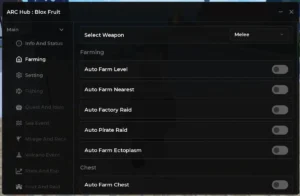
Blox Fruits ARC HUB Script – Keyless, Auto Farm, Auto Quest, ESP
Blox Fruits
 19
1 month ago
No Key
19
1 month ago
No Key
Blox Fruits Nexus Proxy Script | Keyless, Auto Farm, Kill Aura, Boss ESP
Blox Fruits
 20
1 month ago
No Key
20
1 month ago
No Key
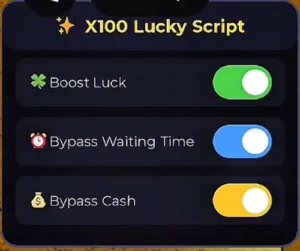
Blox Fruits Meow Hub V1.0 Script – Keyless, X100 Luck, Waiting Time Bypass, Cash Bypass
Blox Fruits
Comments
0Join the discussion about this script.

No comments yet. Be the first to comment!