

Description
Peakx Debug Console is a keyless universal Roblox script that adds a debug console for monitoring game activity. It can display logs, warnings, and other relevant output, making it useful for checking script and game activity.
Key Features
Debug Tools
- Debug Console — Opens a debug console for viewing logs, warnings, and other relevant information.
- Output Tracking — Lets you monitor the game’s output while the console is active.
Script Information
- Script: Peakx Debug Console
- Key System: Keyless
Supported Executors
- Xeno
- Wave
- Delta
- Solara
- Codex
- Velocity
Supported Game
Universal Roblox Script

Views
12+
Likes
0
Dislikes
0
Posted
2 weeks ago
Updated
2 weeks ago
Key System
No
Mobile
Supported
Script Preview
loadstring(game:HttpGet("https://peakx.site/debg-console-ebef9079"))()How to Use This Script
1
Open Your Executor
Launch a supported executor and attach it to a running Roblox session.
2
Copy the Script
Click the Copy button above. The full loadstring is placed on your clipboard instantly.
3
Paste & Execute
Paste it into the executor and hit Execute. The hub window opens inside the game.
Features
Compatible Executors
Similar Scripts
 0
8 hours ago
Key System
0
8 hours ago
Key System
Tower Buyer Script – Gnome Code, Tower Shop & Hidden Towers
Universal
 1
5 days ago
Key System
1
5 days ago
Key System
Xeno Hub Universal Script – 3,700+ Scripts, Multi-Game Support
Universal
 3
6 days ago
Key System
3
6 days ago
Key System
Arcane Hub Script – 100+ Games, 2000+ Features & Universal Script Hub
Universal
 13
1 week ago
No Key
13
1 week ago
No Key
Universal – Samui Script Aimlock, Camlock & FPS Boost, Keyless
Universal
 5
1 week ago
No Key
5
1 week ago
No Key
rsHub Script Hub – Free, Keyless, 16 Roblox Games & Auto Farm
Universal
 5
1 week ago
No Key
5
1 week ago
No Key
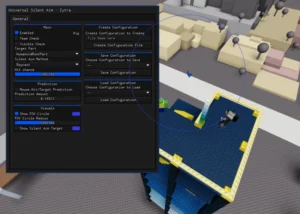
Zytra Universal Script – Keyless Silent Aim, Custom Configs & PC Executors
Universal
Comments
0Join the discussion about this script.

No comments yet. Be the first to comment!