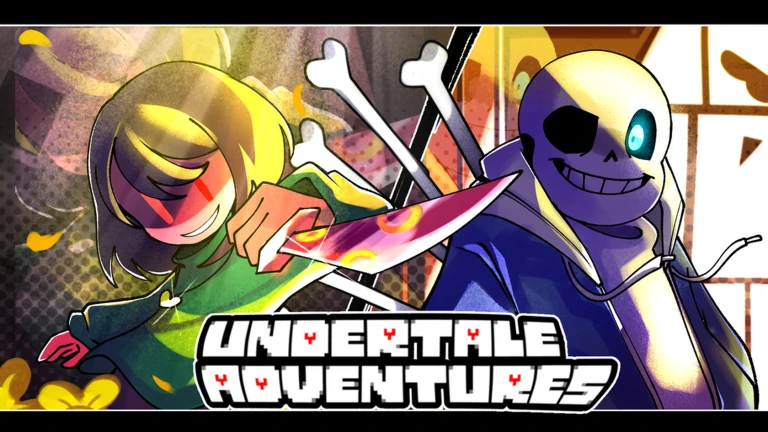

Description
The Kero script for Undertale Adventures X on Roblox offers automation tools for lobby management, match setup, unit summoning, and wave progression. It includes Auto Join & Start, Auto Summon, Auto Sell All Units on Wave, and Auto Skip. The script also features a macro system for recording and replaying actions, along with settings for match limits, delays, and post-match behavior.
Key Features
Lobby & Match Automation
- Lobby: Provides lobby management options.
- Mode & Map: Selects the game mode and map.
- Act & Difficulty: Configures act and difficulty settings.
- Join Delay: Adjusts the delay before joining.
- Auto Join & Start: Automates joining and starting matches.
- Auto Ready: Automatically readies up.
- Pre-Match: Provides pre-match settings.
- Auto Return Lobby After X Matches: Returns to the lobby after a chosen number of matches.
- Match Limit: Sets a limit for matches.
Unit Summoning & Management
- Banner & Amount: Configures banner and summon quantity options.
- Summon Delay: Adjusts the delay between summons.
- Auto Summon: Automates unit summoning.
- Auto Sell Rarities: Automatically sells units based on rarity.
- Auto Sell All Units on Wave: Sells all units at selected waves.
- Sell All Waves: Provides wave-based selling options.
Wave & End-Action Controls
- Wave Skip: Provides wave-skipping controls.
- Auto Skip: Automates skipping waves.
- End Action: Configures what happens when a match ends.
- End Delay: Adjusts the delay before the end action.
Macro Recording & Playback
- Live Match & Recorded Actions: Provides access to match activity and recorded actions.
- Create Macro / Create New Macro: Creates macros for gameplay actions.
- Select Macro: Chooses a saved macro.
- Delete Selected Macro: Deletes the selected macro.
- Playback Mode: Configures how macros are played back.
- Record: Records gameplay actions.
- Auto Playback Every Match: Automatically plays back a macro for each match.
Script Information
- Script Name: Undertale Adventures X Script by Kero
- Hub/Creator: Kero
- Supported Game: Undertale Adventures X
- Key System: Keyless
- Status: Not specified in the provided listing
- Executor Compatibility: Not specified in the provided listing
Views
3+
Likes
0
Dislikes
0
Posted
1 day ago
Updated
1 day ago
Key System
No
Mobile
Supported
Script Preview
loadstring(game:HttpGet("https://raw.githubusercontent.com/KeroTwT/Kero-Hub/refs/heads/main/KeroHub"))()How to Use This Script
1
Open Your Executor
Launch a supported executor and attach it to a running Roblox session.
2
Copy the Script
Click the Copy button above. The full loadstring is placed on your clipboard instantly.
3
Paste & Execute
Paste it into the executor and hit Execute. The hub window opens inside the game.
Features
Compatible Executors
Similar Scripts
 12
2 weeks ago
No Key
12
2 weeks ago
No Key
Blox Fruits Tradesmith Script Keyless Auto Trade Bot, Profit Checker & Item Locks
Blox Fruits
 47
4 weeks ago
No Key
47
4 weeks ago
No Key
Jump for Animals Shrpz v1 Script – Keyless, Auto Farm, Flight System, Auto Follow
Jump for Animals
 9
3 weeks ago
No Key
9
3 weeks ago
No Key
Steal & Hatch Brainrot Eggs OP Script – Keyless, Auto Equip Best, Auto Treadmill, Auto Upgrade
Steal & Hatch Brainrot Eggs
 38
3 weeks ago
No Key
38
3 weeks ago
No Key
TROLL Hug Admin Tower RNDM Hub Script – No Key, Fly, NoClip, God Mode
TROLL Hug Admin Tower
 35
1 month ago
No Key
35
1 month ago
No Key
Steal An Egg RIFT Script – Key System, Auto Steal, Auto Hatch, Rift Farming
Steal An Egg
 11
2 weeks ago
Key System
11
2 weeks ago
Key System
DELTARUNE Fight Script PinkBomb Hub No Key, Max Mercy & Infinite HP
DELTARUNE Fight
Comments
0Join the discussion about this script.

No comments yet. Be the first to comment!